
Library clean-up: Dashboard card
Library clean-up adds 1 card you can put on your dashboard. Each starts with a band: Library clean-up's logo and name and a status in words. A footer says when it last changed.
Holding folder
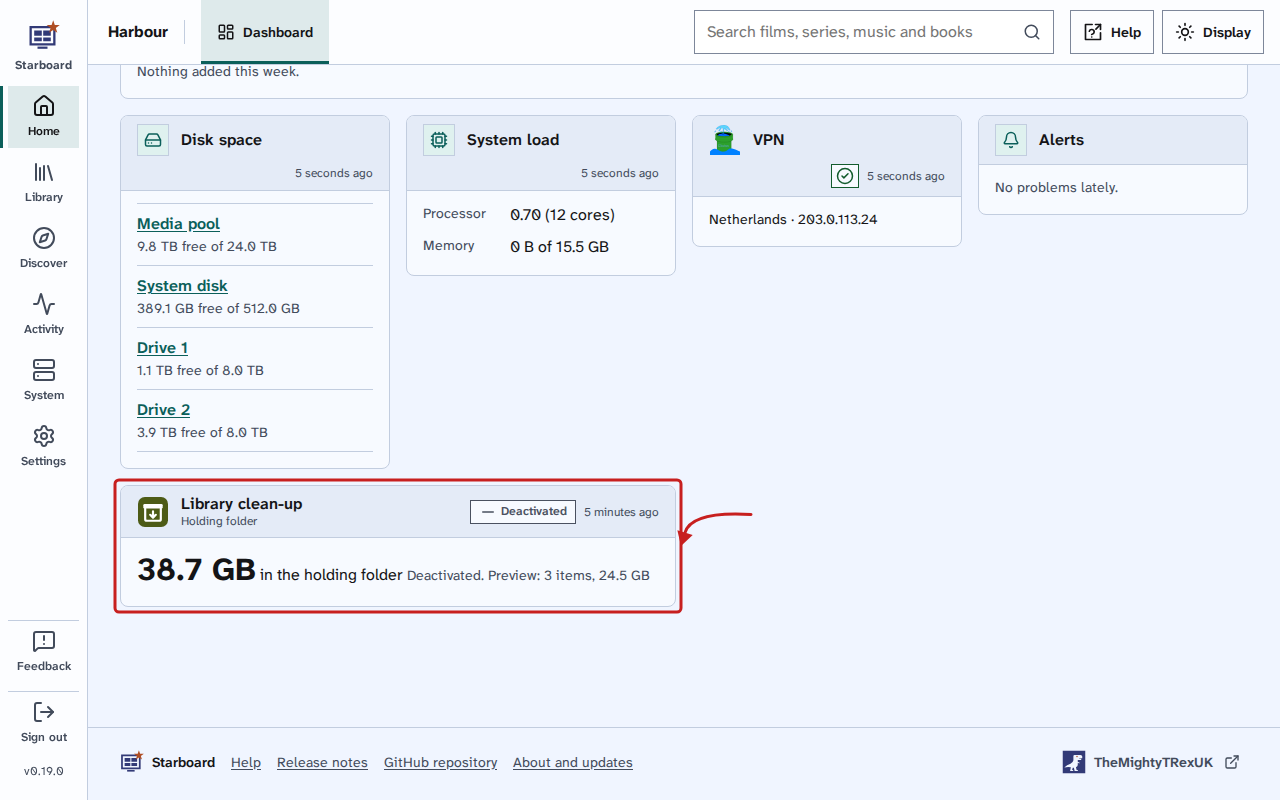
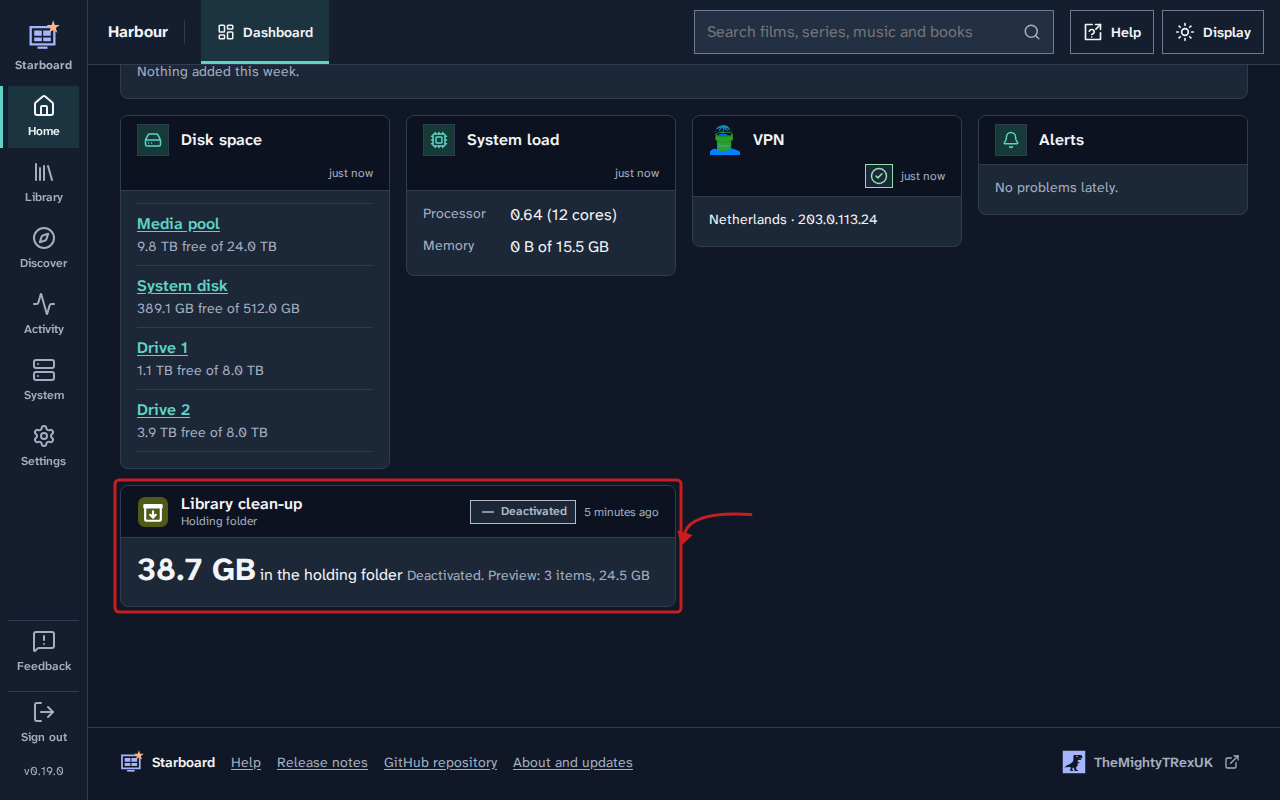
Shows how much is in the holding folder. Under it, how many items are held and when it checks next, what Preview would move while moving is deactivated, or how far the work it is on has gone.
- How often it updates: every 30 seconds while it is working, and every 10 minutes the rest of the time, while the dashboard is open and in view. Nothing is asked while the browser tab is hidden.
- Example: 186.40 GB in the holding folder. 41 items held. Next check in quiet hours
What the status says
| Status | Means |
|---|---|
| Working | It is working out Preview or moving items now. The band says which, "Working out Preview" or "Moving items", and the card says how far it has gone. |
| Deactivated | Move items each day is deactivated, so nothing moves. The card says what Preview would move, or "Open 'Preview' to find what would move". |
| Next in quiet hours | It moves items each day. The card says how many items are held and that it checks next in quiet hours. |
| Problem | The last run did not finish. The band says "Last run failed" and the card says "The last run did not finish" and why. |
Add it to your dashboard
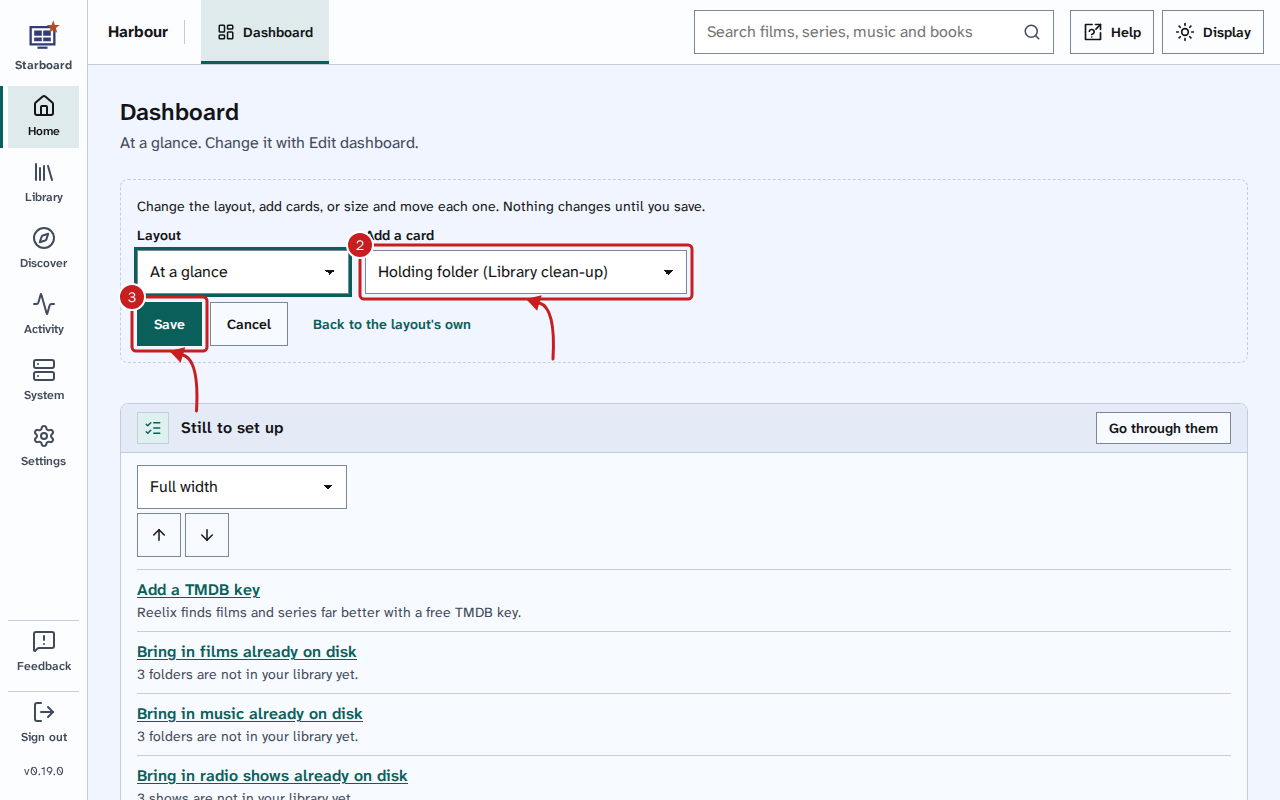
- Select Edit dashboard.
- In Add a card, choose the card. Its name ends with (Library clean-up), such as Holding folder (Library clean-up).
- Select Save.
Library clean-up must be added and active first. Read Install.
Find out more
This page on GitHub, where the help is written.