How-to
Find the films and series with audio description
Audio description gives every film and episode with a described sound track, and its series, the tag Audio description, and puts the films and series in a collection called Audio description. Every Jellyfin app, televisions included, shows tags and collections, so the described titles can be found in any app. This takes 8 steps.
Before you begin
- Audio description is installed. Read Install Audio description.
Steps
- Go to Dashboard, Plugins, Installed, select Audio description, then Settings.
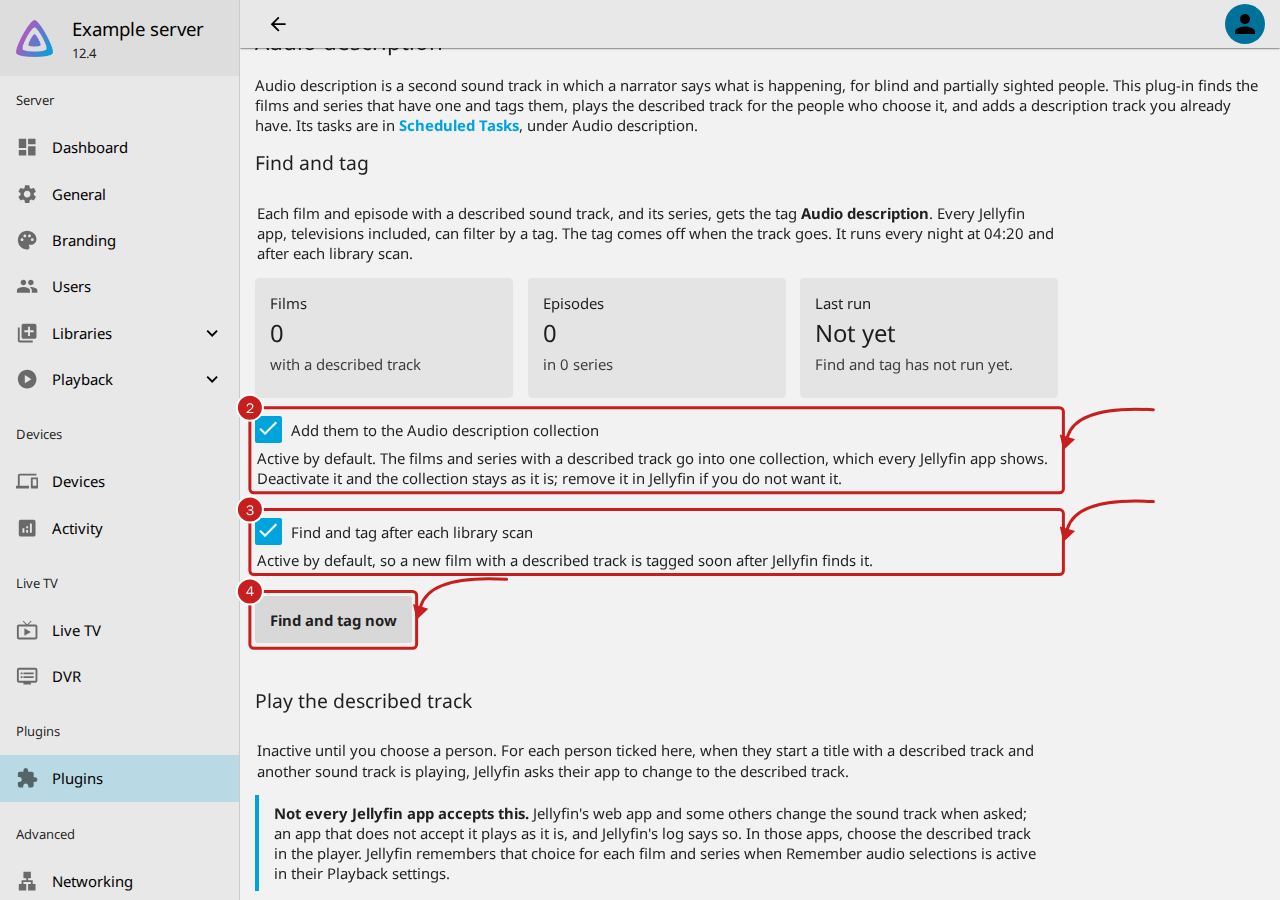
- Under Find and tag, keep Add them to the Audio description collection active to have the collection. It is active by default. Deactivate it and the collection stays as it is: remove it in Jellyfin if you do not want it.
- Keep Find and tag after each library scan active, so a new film with a described track is tagged soon after Jellyfin finds it. It is active by default. Then select Save, at the end of the page, if you changed either.
- Select Find and tag now to tag straight away.
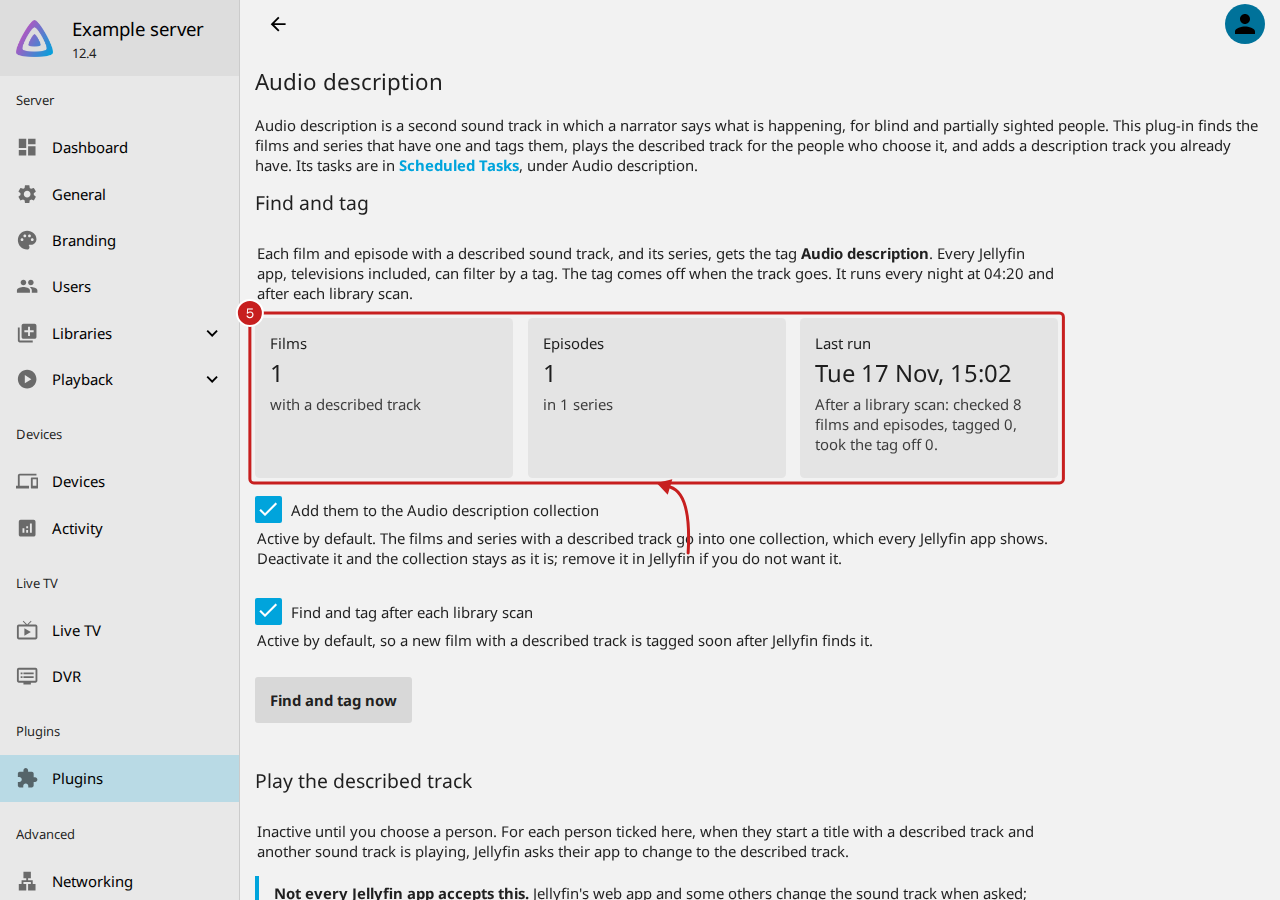
- Read the figures: how many Films have a described track, how many Episodes in how many series, and the Last run, with what it checked, tagged and took the tag off.
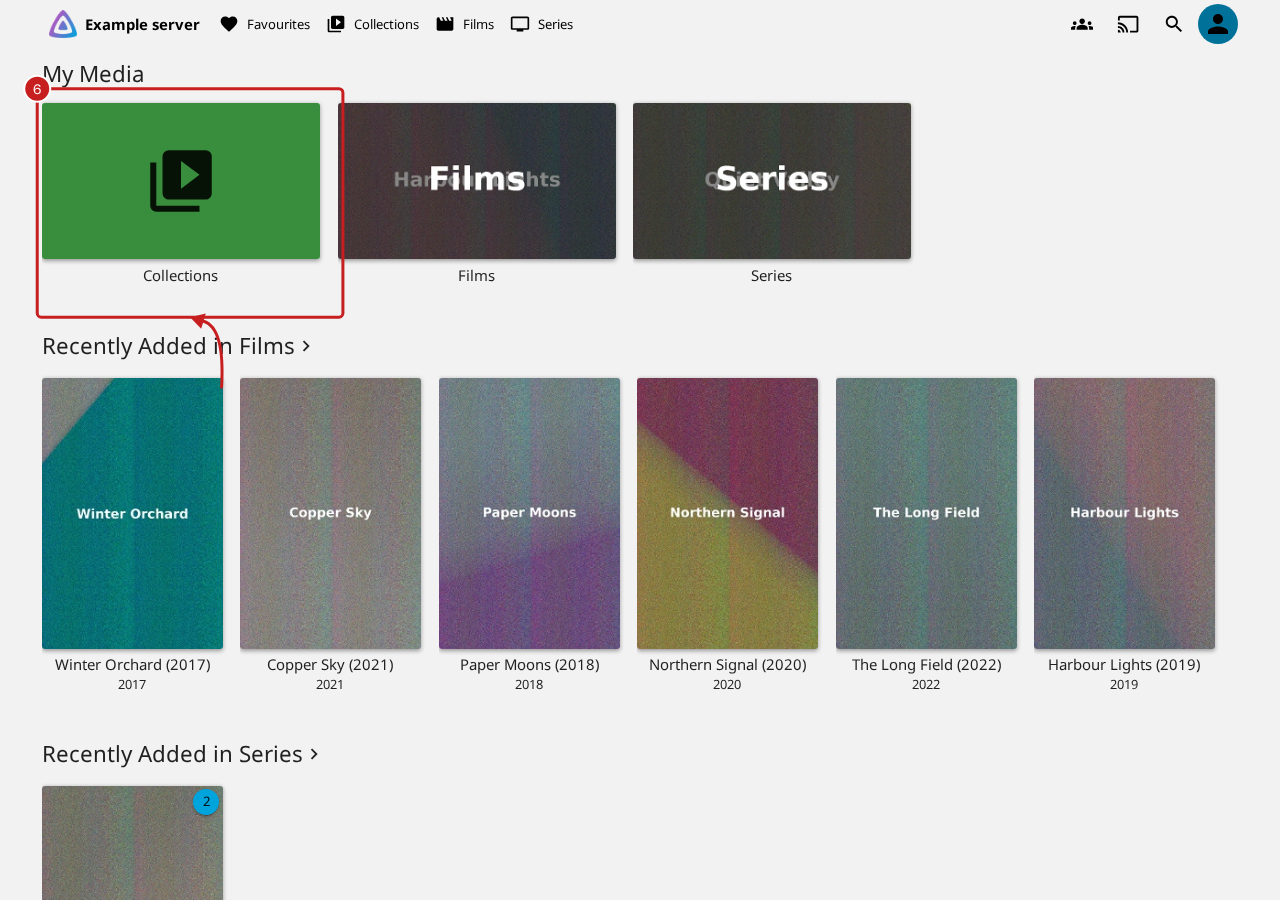
- To find the titles, go to Jellyfin's home page and select Collections, under My Media.
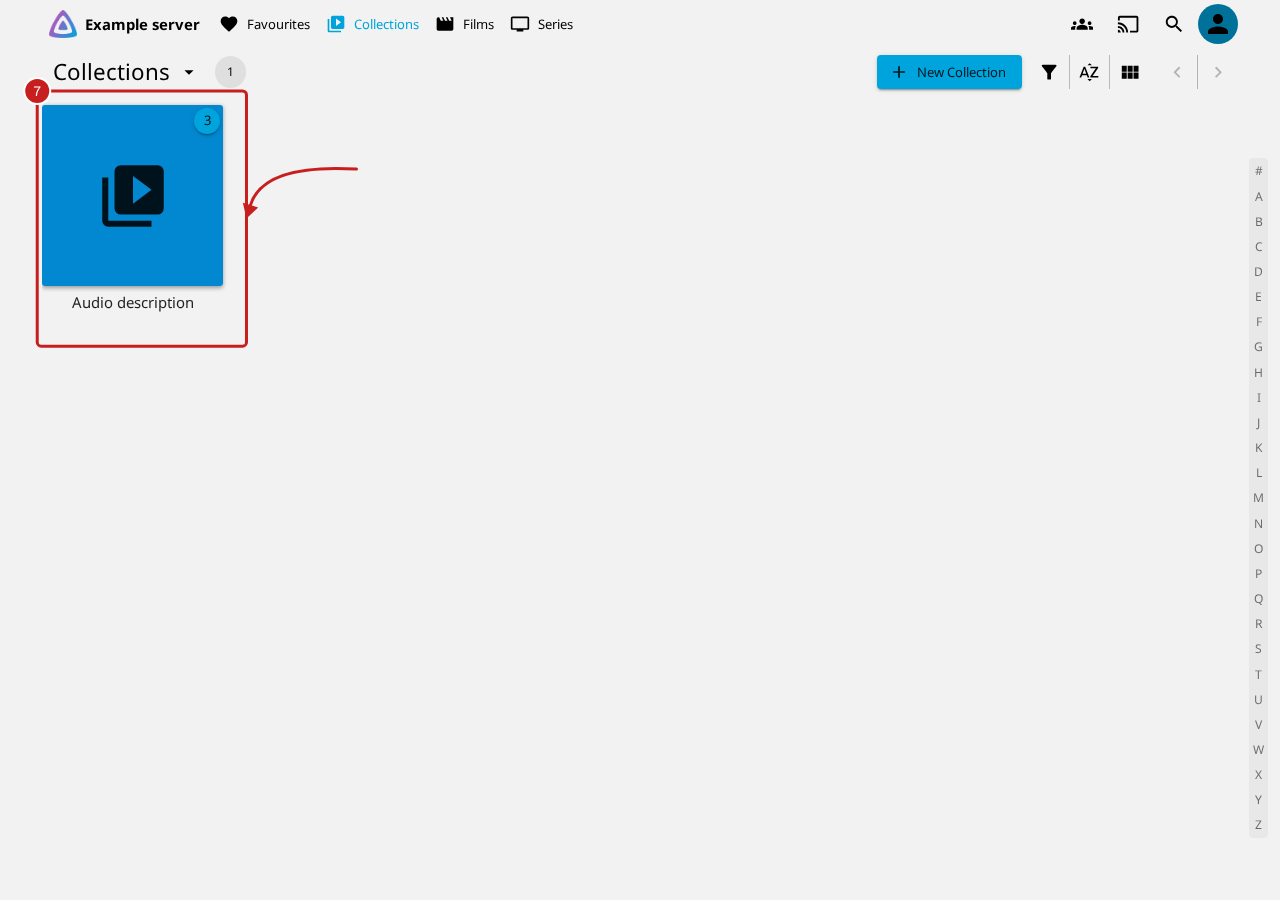
- Select the Audio description collection. It holds the films and series with a described track.
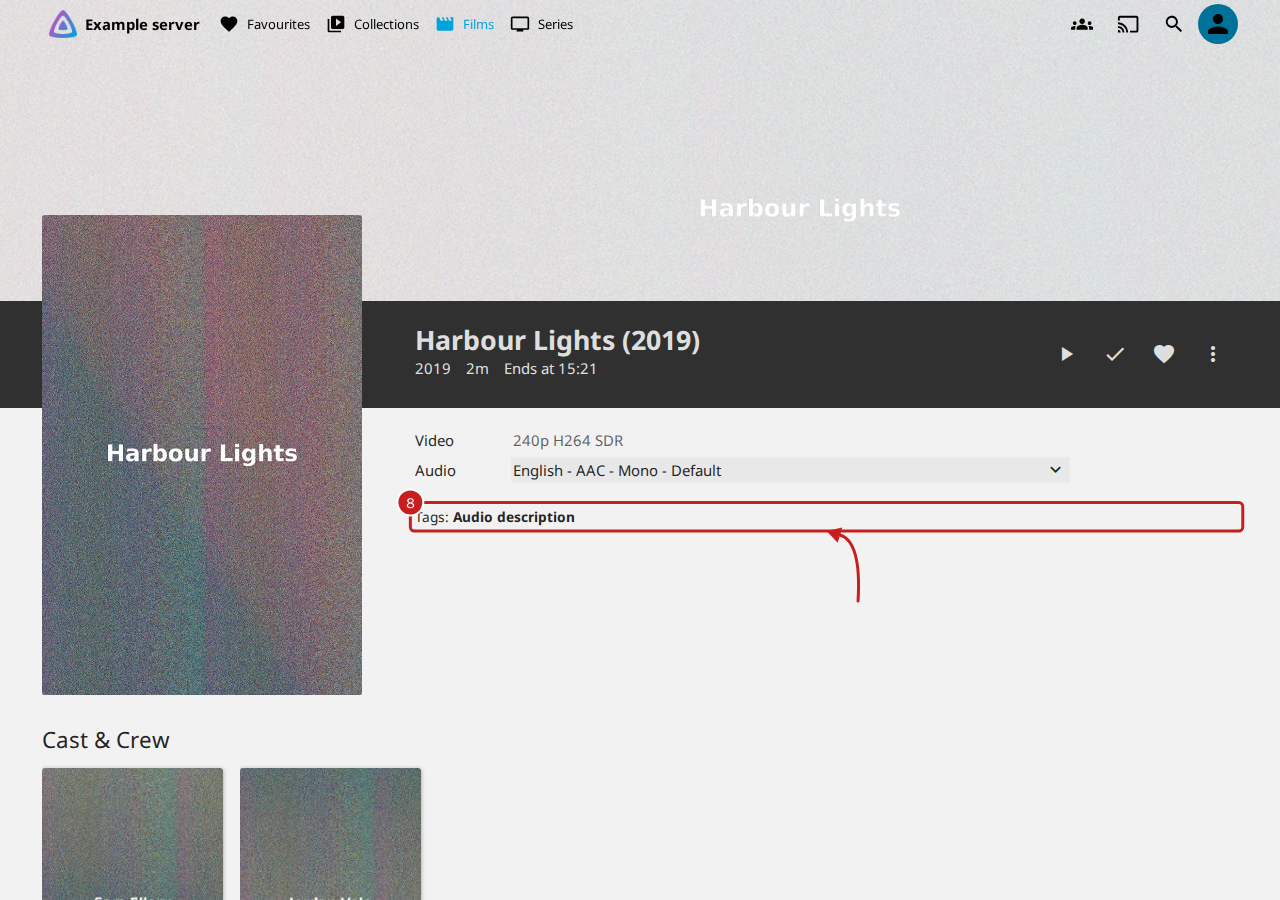
- On a film's or series' page, Tags shows Audio description. Select the tag to list every title that has it. In a library, the filter's Tags list has it too.
How a track is found
A sound track counts as audio description when its title, the title Jellyfin shows or its comment has one of these words:
- Audio Description, Audio described, Descriptive audio or Descriptive video;
- Described;
- DVS, or AD as a word of its own, so "Adventure" and "Madrid" never count.
A track with commentary or comment in it never counts, so "AD commentary" is left out. Jellyfin does not read the flag that marks a described track inside a file, so these words are what can be read.
When it runs, and what it changes
- When: every night at 04:20, after each library scan while Find and tag after each library scan is active, and when you select Find and tag now. A film given a track by Add a description track you have is tagged as soon as Jellyfin has read it again.
- What it tags: each film and each episode with a described track, and each series with at least one. Other tags stay as they are.
- When the track goes: the next run takes the tag off. A tag of the same name that you added yourself to a title with no described track is taken off too.
- The collection: holds films and series, not episodes. Titles without a described track are taken out of it.
- What it writes: only the titles whose tag changes, through Jellyfin's own library, as an edit in the metadata editor would. It reads the library one item at a time, so its memory stays the same whatever the library's size.
Find out more
This page on GitHub, where the help is written.