How-to
Install Audio description
Install Audio description from Jellyfin's own catalogue and restart Jellyfin. Audio description is a second sound track in which a narrator says what is happening, for blind and partially sighted people. The plug-in finds and tags the films and series that have one, plays it for the people who choose it, and adds a description track you have. This takes 11 steps and about 5 minutes, with a restart.
Before you begin
- The repository is in Jellyfin. Read Add the repository to Jellyfin.
- An administrator account in Jellyfin 10.11 or Jellyfin 12. Jellyfin installs the build for its own version.
- Restarting Jellyfin stops anyone watching for about a minute: choose a quiet time.
Steps
Steps 1 to 6 are the same as for Picture shrinker, with Audio as the search; Install Picture shrinker
has a picture of each.
- Go to Dashboard, then Plugins, and select Available.
- In Search, enter
Audio, and select the Audio description card. - Select Install.
- In Confirm Plugin Installation, select Install.
- Go to Dashboard and select Restart.
- In the Restart dialog, select Restart. Jellyfin starts again in about a minute.
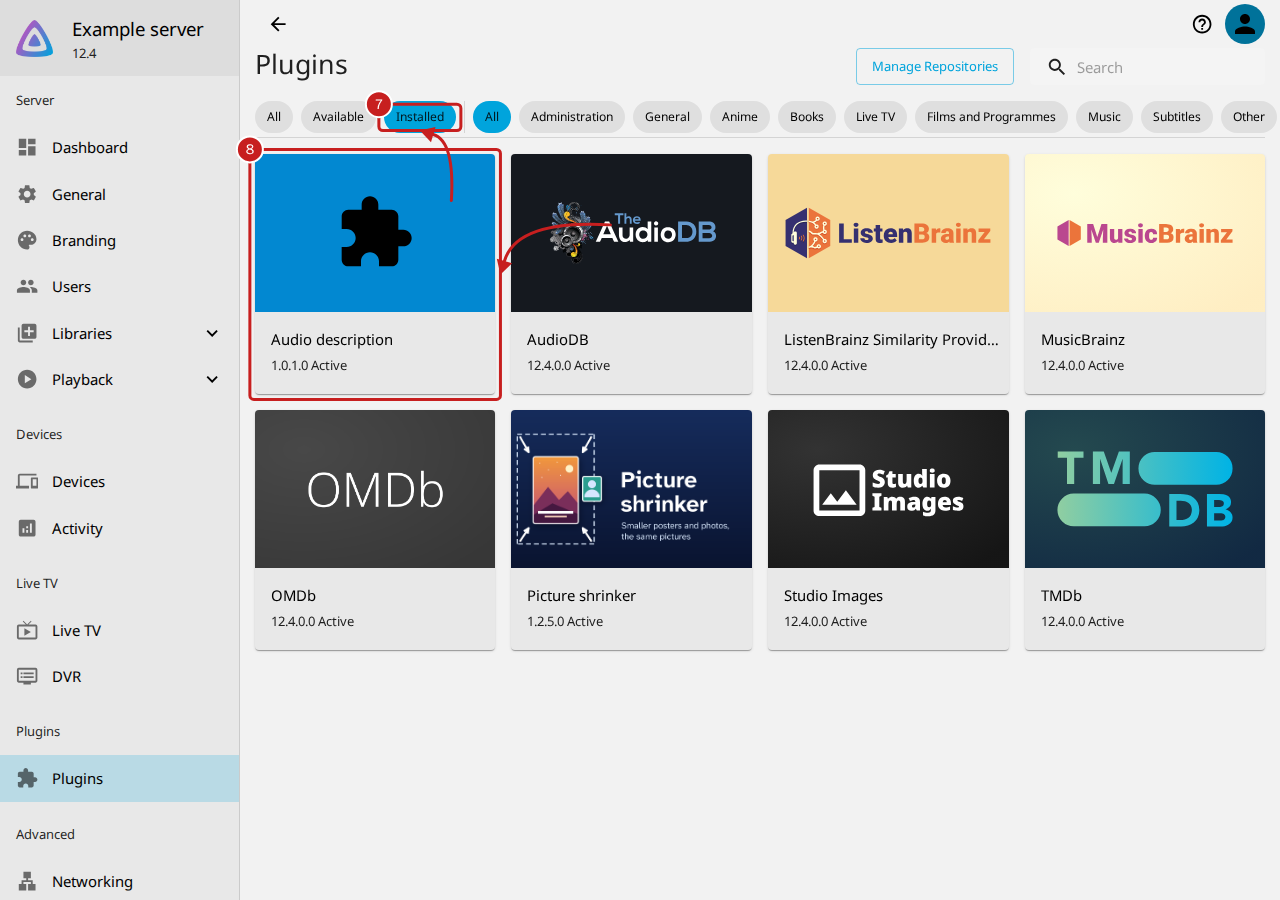
- When Jellyfin is back, go to Dashboard, then Plugins, and select Installed.
- Select the Audio description card. Its version and Active are under its name.
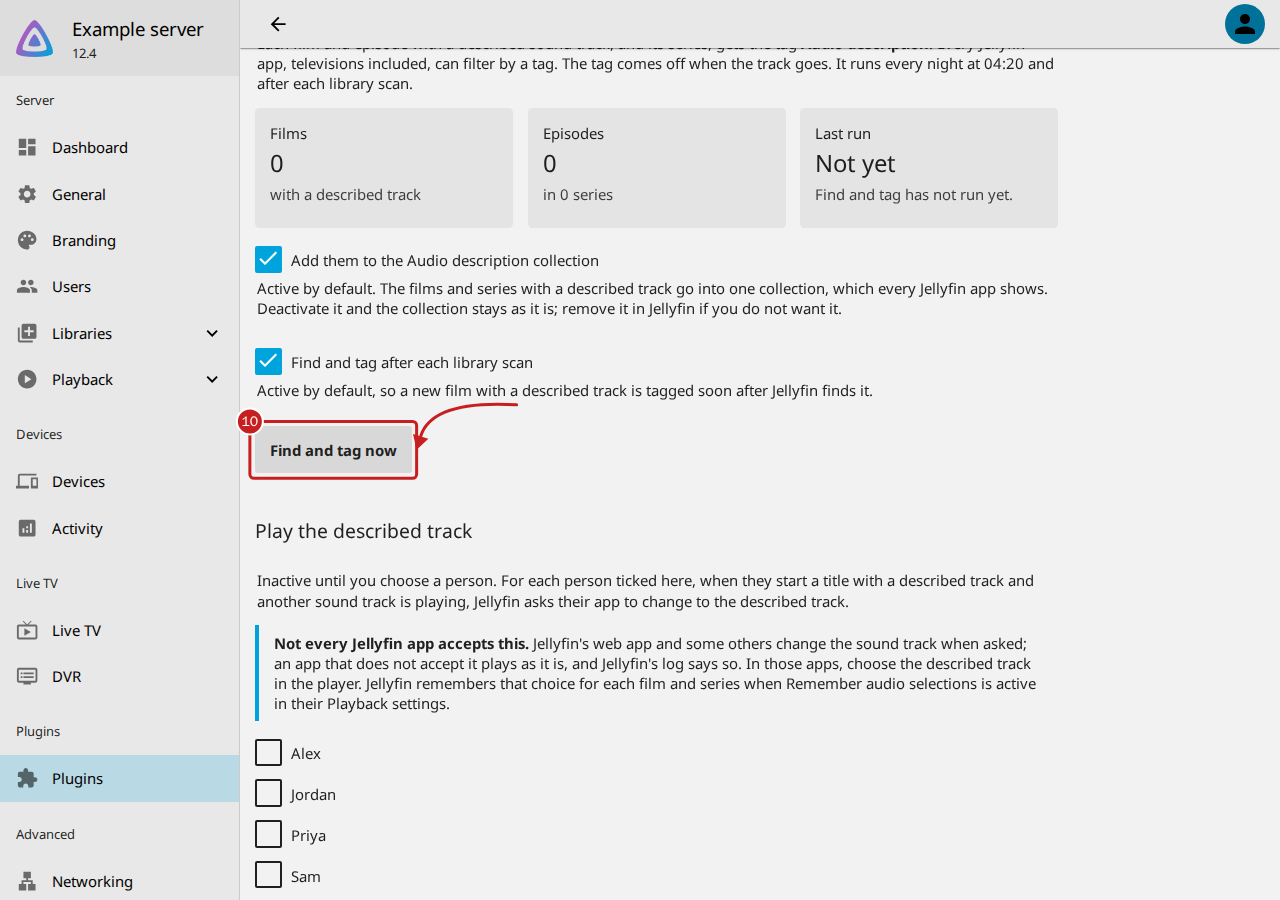
- Select Settings. The settings page opens, with three parts: Find and tag, Play the described track and Add a track you have.
-
Select Find and tag now to tag the films and series with a described track straight away. Otherwise it runs at 04:20 each night and after each library scan.
-
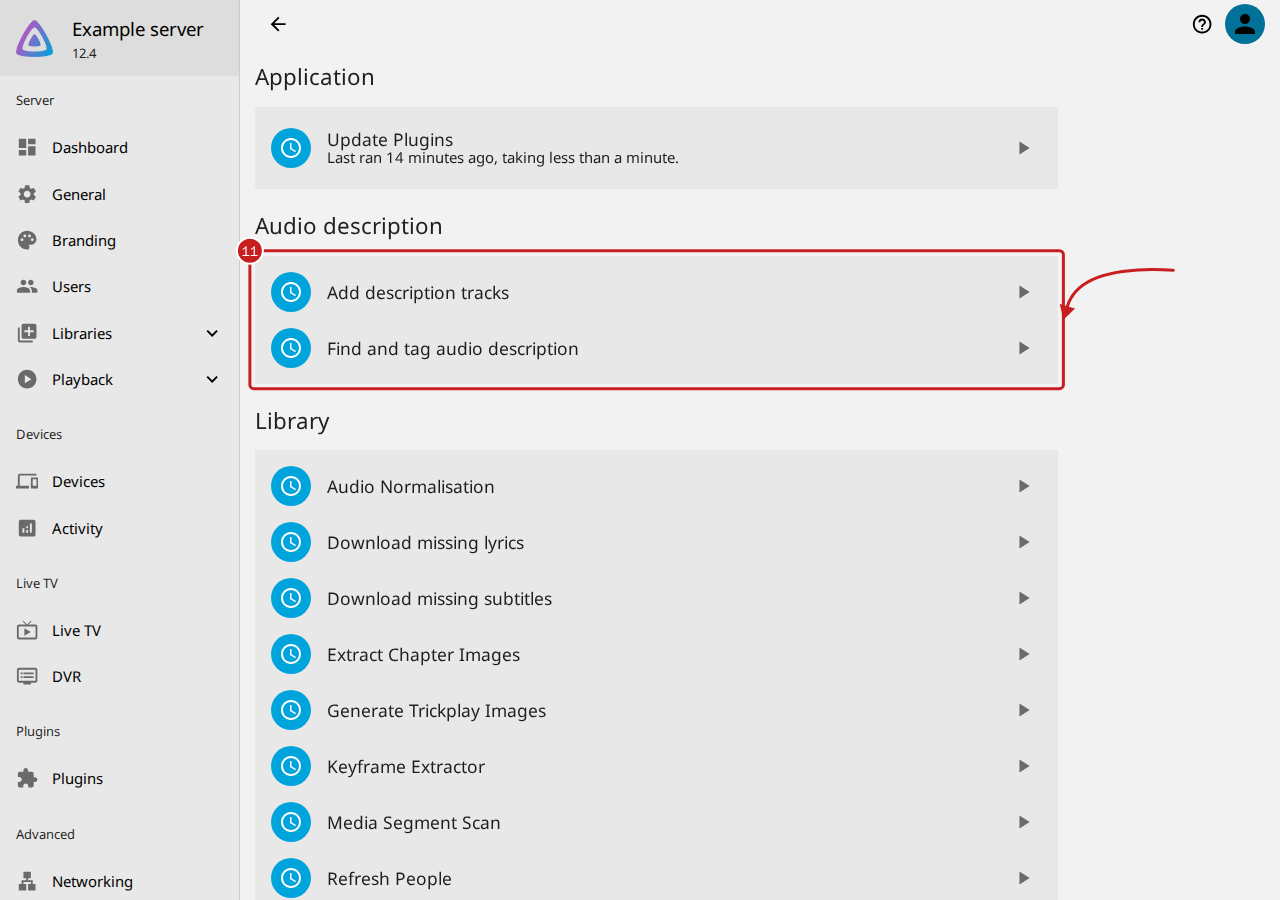
To check its tasks, go to Dashboard, then Scheduled Tasks. They are under Audio description: Add description tracks and Find and tag audio description.
Nothing else needs setting up: tagging and the collection are active by default. Play the described track is inactive until you choose a person.
Things to note
- Jellyfin 10.11.11 has the same pages and names. On a Plugins page with tabs, Installed is the My Plugins tab and Available is the Catalogue tab.
- If you use Starboard, its Audio description and Audio description tracks plug-ins notice this one and stay idle for the parts it does. Read Use the plug-ins with Starboard.
Remove it
- To take the tags off first, deactivate Add them to the Audio description collection, then remove the tag in Jellyfin's metadata editor; or keep them, as they do no harm.
- Go to Dashboard, Plugins, Installed, select Audio description, then Uninstall, and restart Jellyfin.
Added tracks stay next to their films and keep working. The folder for description tracks stays, with its
Confirmed, Taken off and Unzipped folders: delete them yourself when you like. Two small files stay too:
its settings, plugins/configurations/Jellyfin.Plugin.AudioDescription.xml, and its records,
plugins/Jellyfin.Plugin.AudioDescription.
If it does not work
- If Audio description is not in Available, read A plug-in is not in Jellyfin's catalogue.
- If something else is wrong, read Audio description is not working.
Find out more
This page on GitHub, where the help is written.