On this page
How-to
Move from the old Picture shrinker address
Picture shrinker used to have a repository address of its own. New versions are now listed only at the one address for every plug-in by TheMightyTRexUK, so add the new address and remove the old one. What you installed stays installed, with its settings. This takes 5 steps.
The old address, to remove:
https://raw.githubusercontent.com/TheMightyTRex/jellyfin-plugin-picture-shrinker/main/manifest.jsonThe new address, to add:
https://raw.githubusercontent.com/TheMightyTRex/jellyfin-plugins/main/manifest.jsonBefore you begin
- An administrator account in Jellyfin.
- If you use Starboard, it makes this change for you the next time it offers Jellyfin plug-ins, in Settings, Apps, Jellyfin. Read Use the plug-ins with Starboard.
Steps
- Add the new address: follow Add the repository to Jellyfin, steps 1 to 9.
- Go to Dashboard, Plugins, then Manage Repositories (on a Plugins page with tabs, the Repositories tab).
- Find the old address: it ends
jellyfin-plugin-picture-shrinker/main/manifest.json, under the name you gave it, such as Picture shrinker.
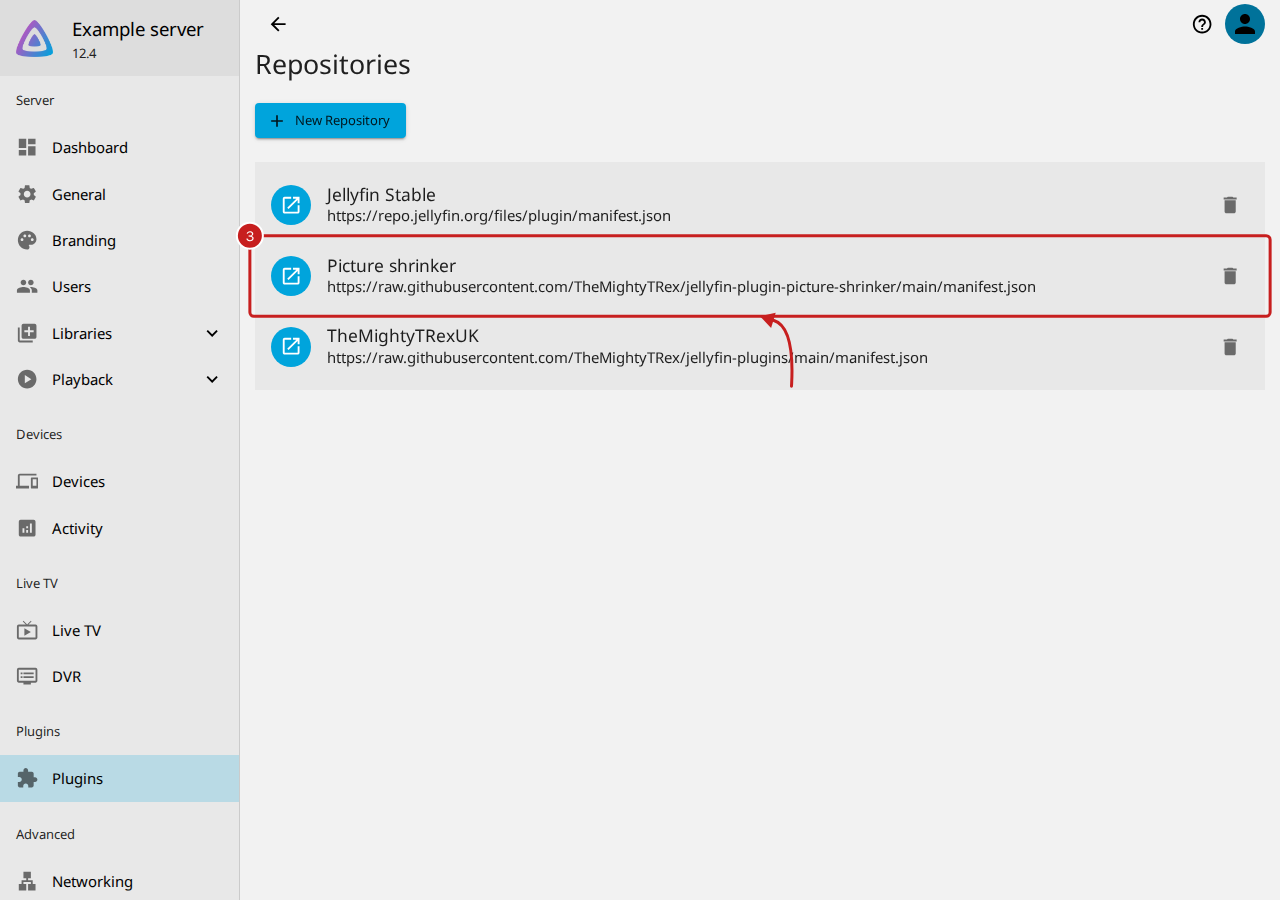
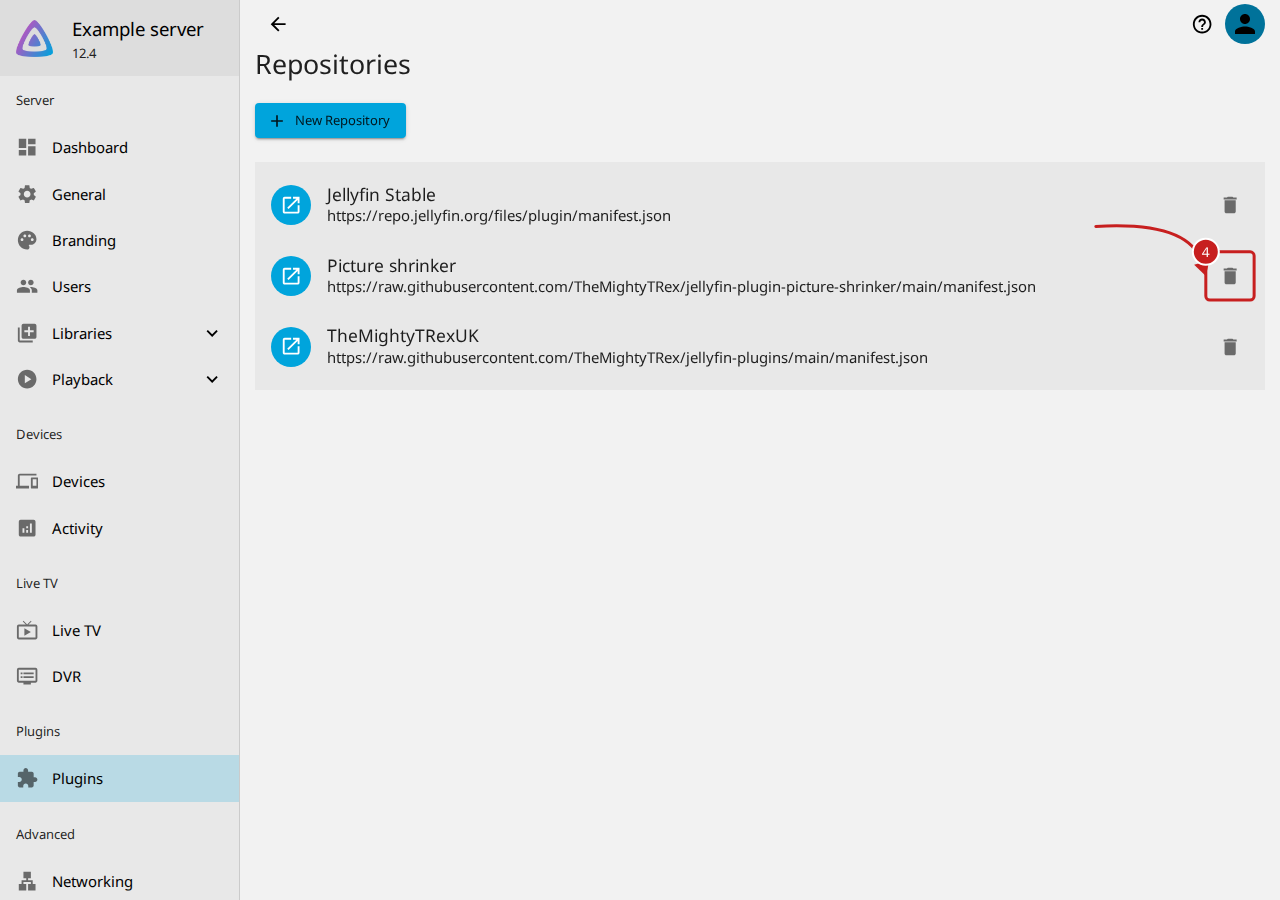
- Select the delete button beside the old address.
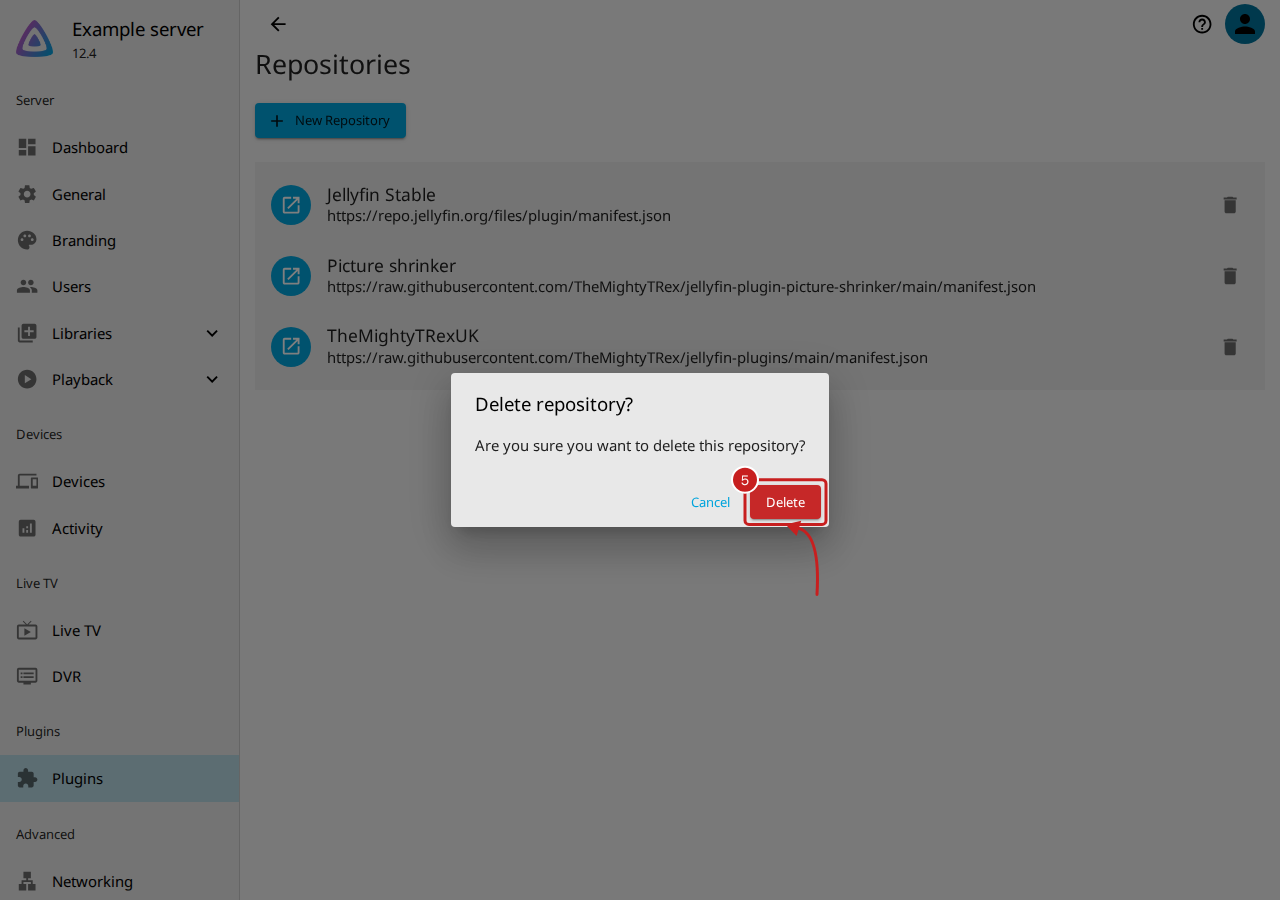
- In Delete repository?, select Delete. The old address goes from the list, and TheMightyTRexUK stays.
Things to note
- Nothing you installed changes. Picture shrinker keeps its version, its settings, its backup and its figures. The next update comes from the new address.
- The old address still works for the versions it already lists, so a Jellyfin that still has it is not broken; it only misses newer versions.
Find out more
This page on GitHub, where the help is written.