On this page
How-to
Update Picture shrinker, or go back to an earlier version
Jellyfin installs new versions of Picture shrinker by itself, from the repository, with its Update Plugins task. You can also check for an update straight away, or go back to an earlier version from Revision History. Each needs a restart of Jellyfin. This takes 7 steps.
Before you begin
- Picture shrinker is installed from the repository. Read Install Picture shrinker.
- Restarting Jellyfin stops anyone watching for about a minute: choose a quiet time.
Update
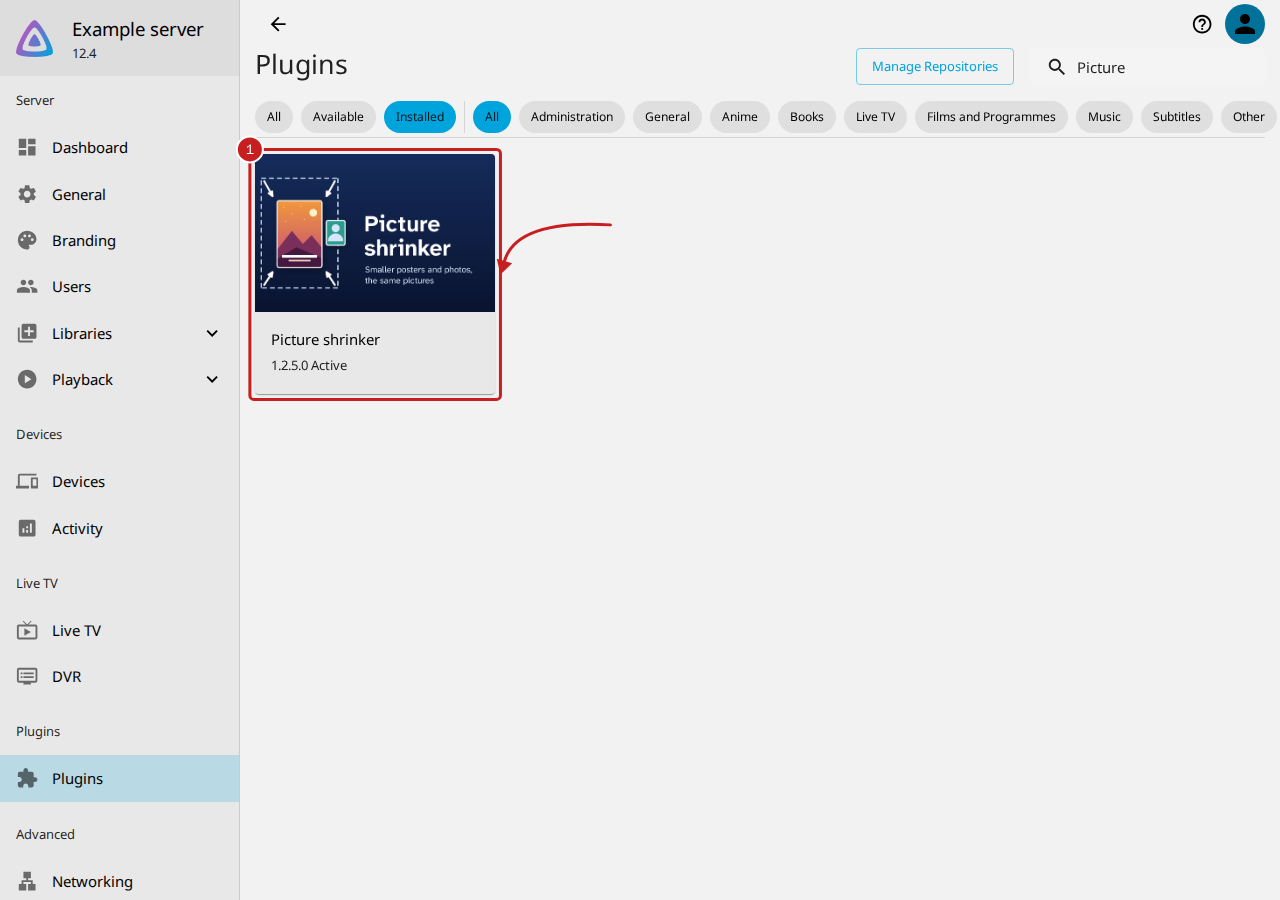
- Go to Dashboard, Plugins, then Installed. Picture shrinker's card shows the version you have, such as 1.2.5.0.
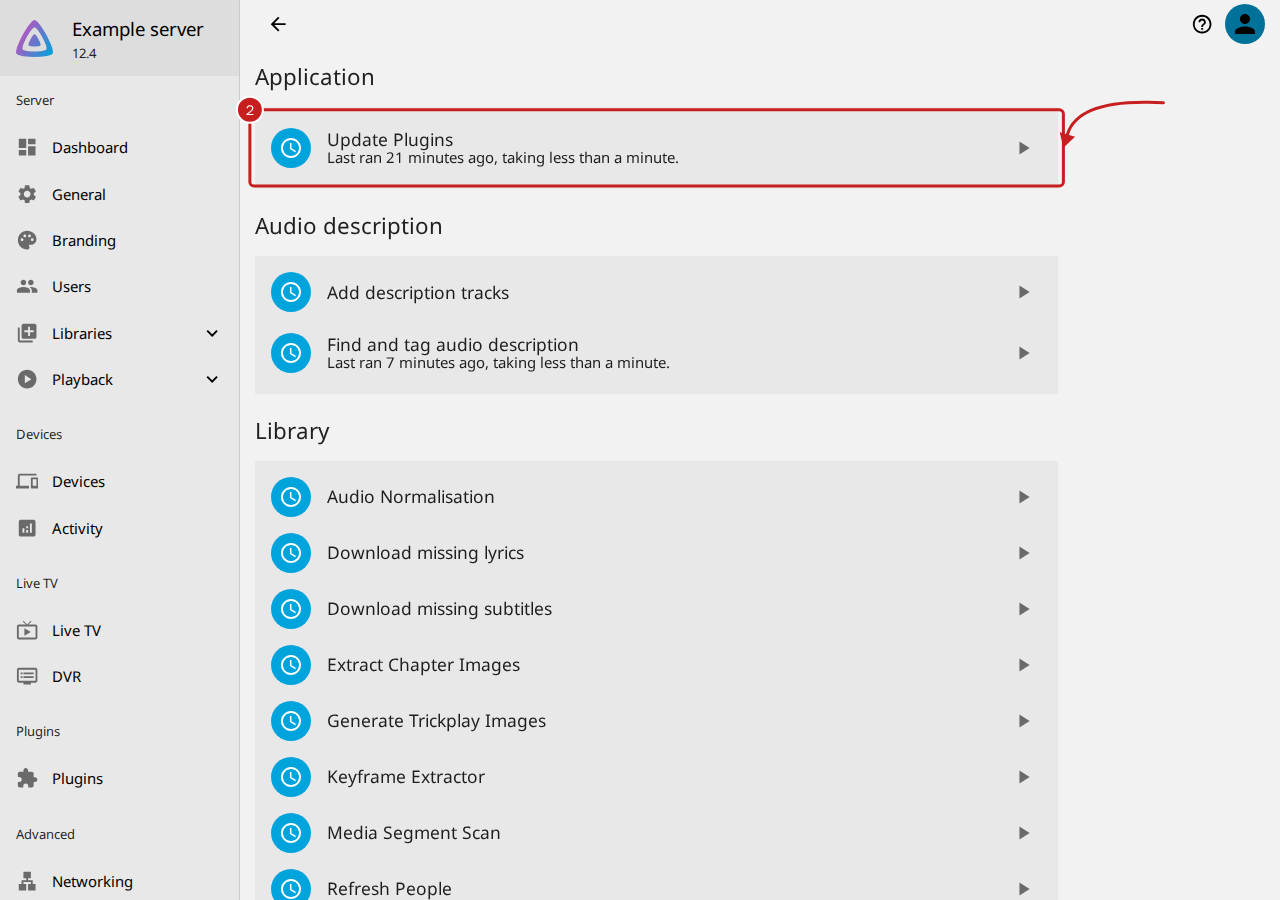
- To check for an update now, go to Dashboard, then Scheduled Tasks, and select the run button beside Update Plugins, under Application. Jellyfin also runs it by itself.
- Restart Jellyfin: go to Dashboard, select Restart, then Restart again. The new version is used from the restart.
Go back to an earlier version
- Go to Dashboard, Plugins, Installed, and select Picture shrinker.
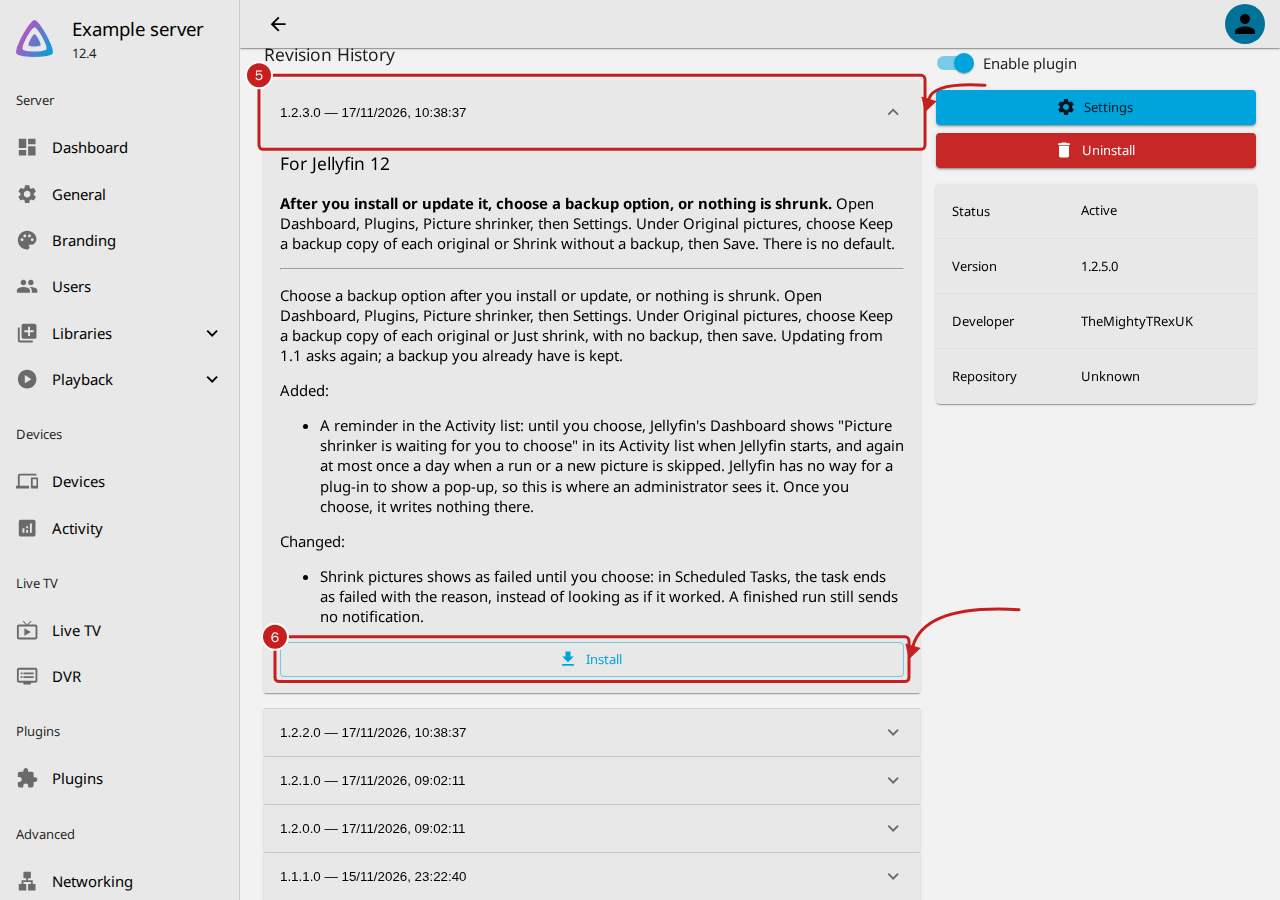
- Under Revision History, select the version to go back to, such as 1.2.3.0. Its notes open.
- Select Install, under its notes.
- Restart Jellyfin.
Update Plugins installs the newest version again when it next runs. To stay on the earlier version, remove the triggers of Update Plugins in Scheduled Tasks: this stops updates for every plug-in, so add them back later.
Things to note
- After an update, check Original pictures. The update from version 1.1 to 1.2 asks you to choose a backup option again, and nothing is shrunk until you do. A backup folder you already have is kept. Read Install Picture shrinker, steps 11 to 13.
- Each version has two builds. The third number says which: even for Jellyfin 10.11, odd for Jellyfin 12, such as 1.2.4.0 and 1.2.5.0. Jellyfin installs the build for its own version, so the list shows both.
- The notes in Revision History start with which Jellyfin the build is for, then any warning, then what changed.
- A label that changed: in version 1.2.3.0 and earlier, Shrink without a backup was called Just shrink, with no backup. A choice you made is kept.
- Going back to 1.1 loses the choice of backup and the picture types other than posters and photos of people, which 1.2 added. Pictures already shrunk stay shrunk.
The versions
| Version for Jellyfin 12 | Version for Jellyfin 10.11 | What it brought |
|---|---|---|
| 1.2.5.0 | 1.2.4.0 | Clearer wording, the time of the last save, and Shrink without a backup as the new name |
| 1.2.3.0 | 1.2.2.0 | A reminder in the Activity list until you choose a backup option; Shrink pictures fails until you choose |
| 1.2.1.0 | 1.2.0.0 | Every picture type, the choice of backup, and Start again |
| 1.1.1.0 | 1.1.0.0 | The first version: posters and photos of people, with a backup |
The full notes are in Picture shrinker's CHANGELOG.md.
If it does not work
- If the newer version does not appear, read A plug-in is not in Jellyfin's catalogue: the same causes apply.
- If you added Picture shrinker's first address, new versions are listed only at the new one. Read Move from the old Picture shrinker address.
Find out more
This page on GitHub, where the help is written.