
Backups watch: Install
Add Backups watch from Starboard's Catalogue, where it is listed under System. Starboard shows what it may do and tests it before anything is added. At the end, Backups watch is added, and it needs your backup tool's address before it can check anything.
Before you begin
- Starboard with plug-in API 1.17 or later (Starboard 0.26.0 or later). Alerts and the size card need it.
- Backrest or Kopia running on your network, and its address. Read Settings for what to enter.
- Your Starboard password. Adding and removing a plug-in ask for it.
What it may do
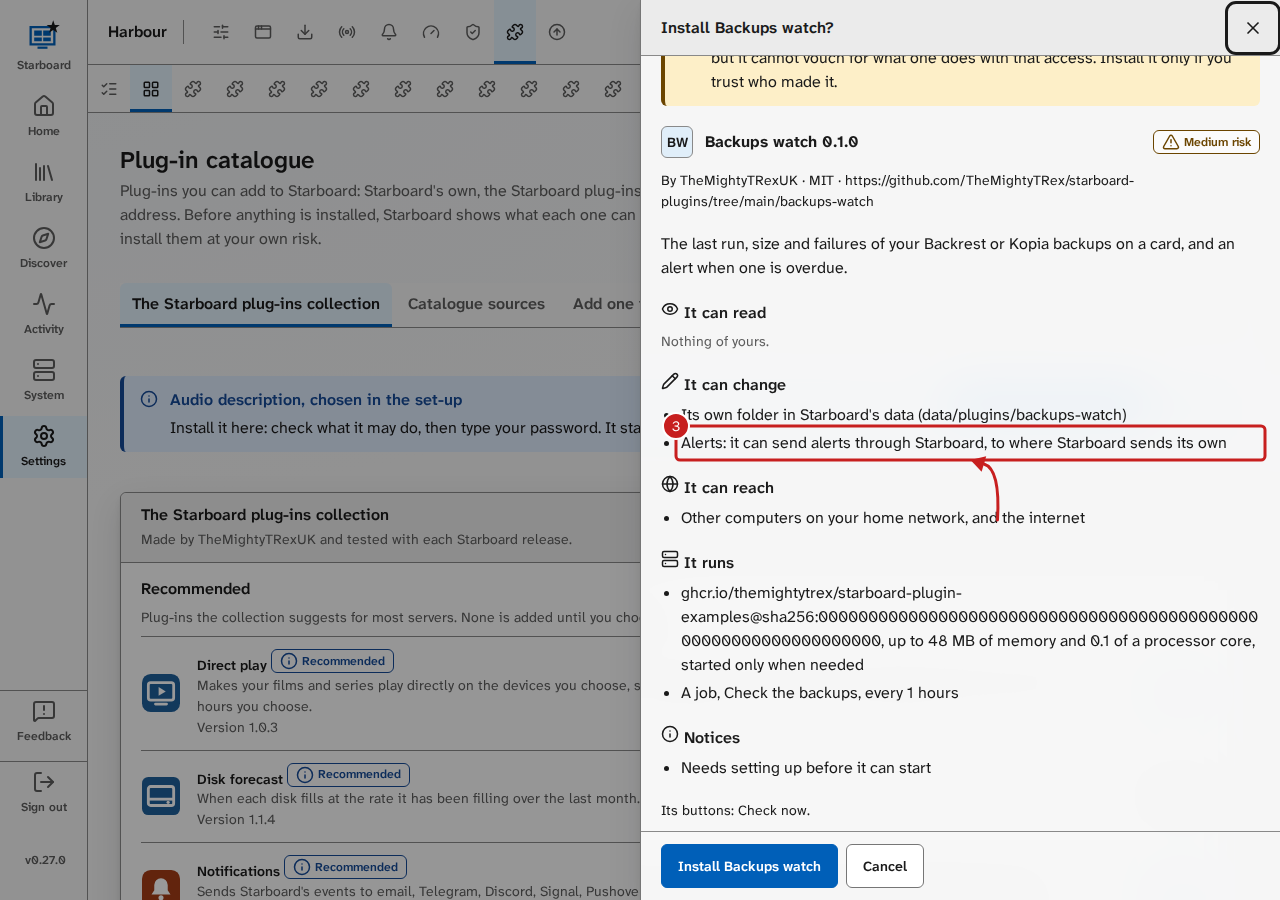
Starboard lists these before you add it, each with its risk.
| Permission | Risk |
|---|---|
Reach other computers on your home network, and the internet (network:lan) |
Medium |
Send alerts through Starboard (alerts:send) |
Low |
What it runs:
- main: reaches your home network. It can use its own folder in Starboard's data (
data/plugins/backups-watch). It rests after 5 minutes with nothing to do, and Starboard wakes it once an hour.
Like every plug-in, it runs read only, as a user that is not root, with no extra rights. It only reads from your backup tool: it never starts, changes or deletes a backup.
Memory and processor
- main: 48 MB of memory and 0.1 of a processor core at most.
Add it
- Go to Settings, then Plug-ins, then Catalogue.
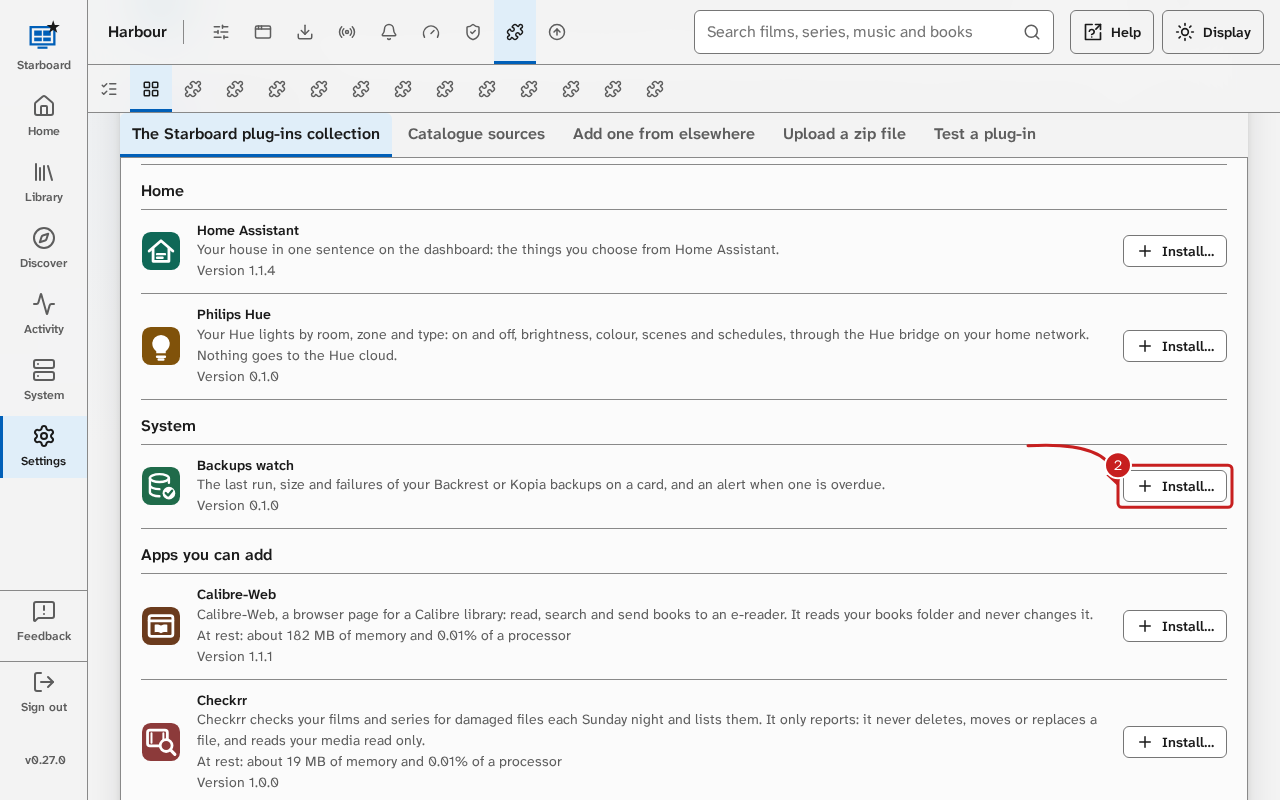
- Under System, find Backups watch and select Install….
- A slide-out opens with what it can read, change and reach. Read it all.
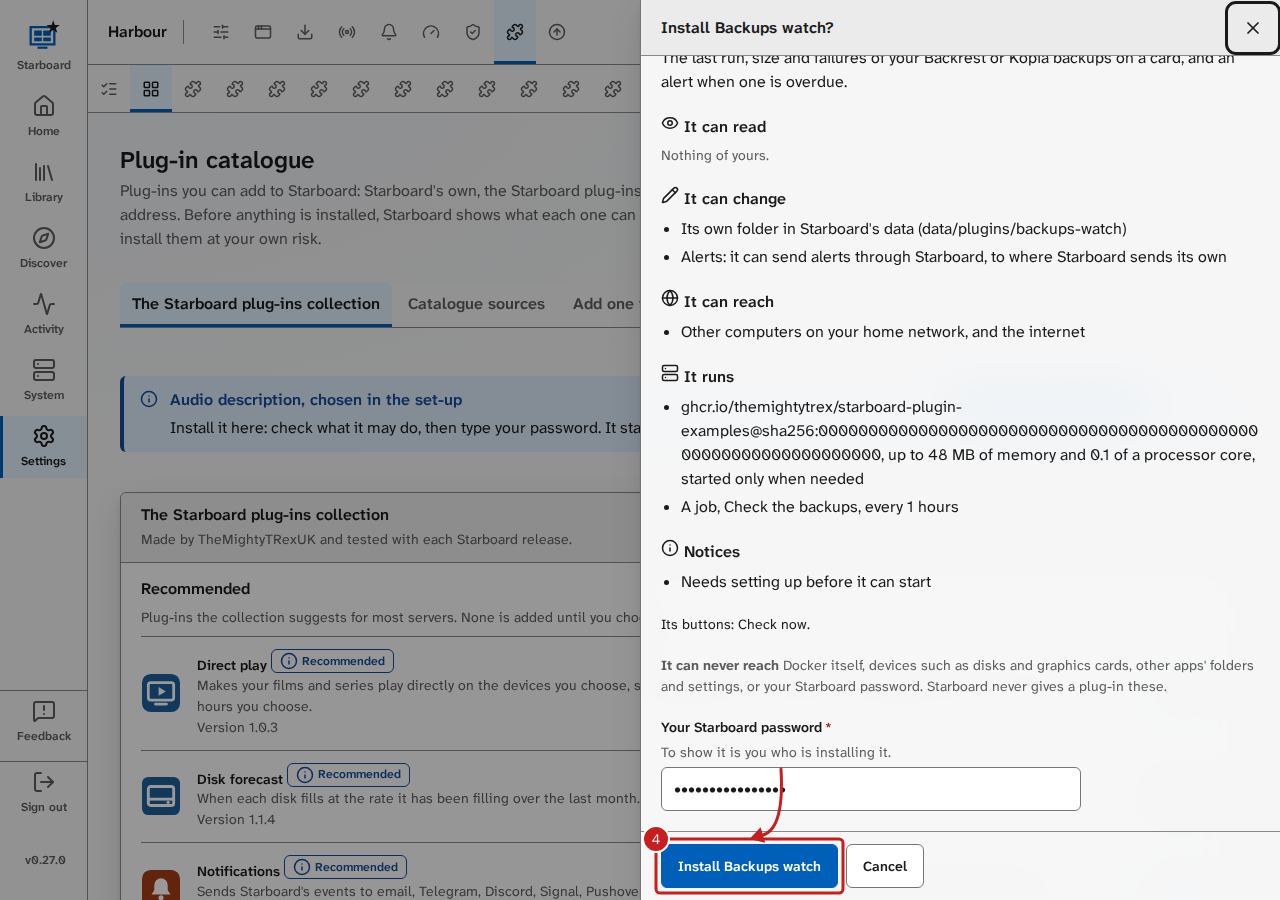
- Enter your Starboard password and select Install Backups watch. To stop, select Cancel: nothing is installed.
- Backups watch's own tab opens under Settings, then Plug-ins. Choose the tool and enter its address, then save and select Activate. Read Settings.
Add it by its address
On the Catalogue page, under Add one from elsewhere, paste this into The plug-in's manifest address, then select What it does and carry on from step 3:
https://raw.githubusercontent.com/TheMightyTRex/starboard-plugins/main/backups-watch/starboard-plugin.jsonOr run its installer, install.py in its folder, on any computer with Python, and give your Starboard's address.
Remove it
- Go to Settings, then Plug-ins, then Backups watch.
- Under Remove, select Remove Backups watch.
- Choose where its folder goes: Keep it with Starboard's data (in
data/plugins/.removed) or Move it to the holding folder, listed in System, Clean up, where you can put it back or delete it for good. - Enter your Starboard password and select Remove.
Its container stops and goes, and its API key stops working. Your backups are not touched.
Find out more
This page on GitHub, where the help is written.