
On this page
Immich: Dashboard card
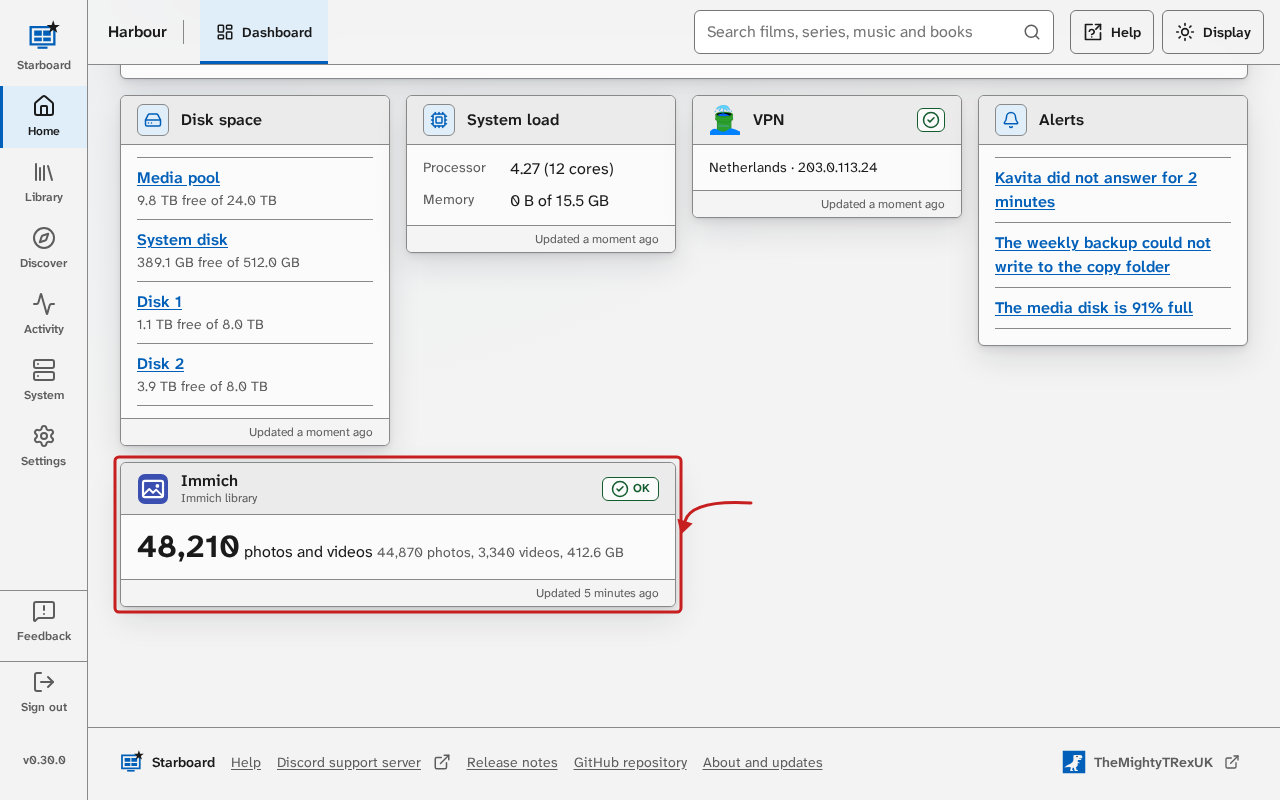
Immich adds 3 cards you can put on your dashboard. Each starts with a band: Immich's logo and name and a status in words. A footer says when it last changed.
Immich library
Shows how many photos and videos Immich holds, with the split and the space they use.
- How often it updates: every 5 minutes while the dashboard is open. Nothing is asked while the browser tab is hidden.
- Example: 48,210 photos and videos. 44,870 photos, 3,340 videos, 412.6 GB.
Immich storage
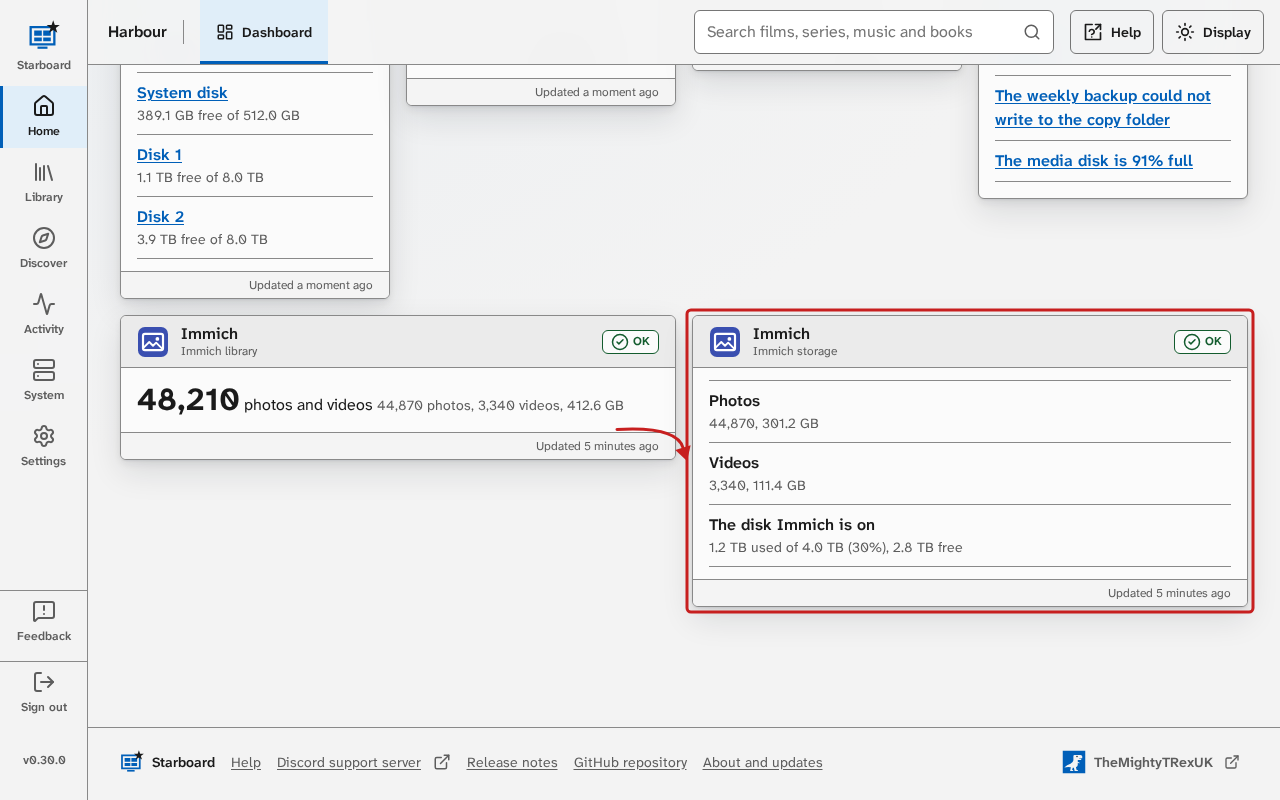
Shows where the space goes, photos and videos, then the disk Immich is on: how much is used, how full it is and how much is free, and the people who use the most space.
- How often it updates: every 5 minutes while the dashboard is open.
- Status: Nearly full from 90% and Full from 98%, the same limits as Starboard's own disk card.
- Example:
- Photos: 44,870, 301.2 GB
- The disk Immich is on: 1.2 TB used of 4.0 TB (30%), 2.8 TB free
Immich jobs
Shows what the job queues are doing: which are working, how many jobs are waiting, and how many have failed.
- How often it updates: every minute while the dashboard is open.
- Example: Working: Thumbnails, Smart search. 340 waiting.
What the status says
| Status | Means |
|---|---|
| OK | The figures were read. |
| Working | A job queue is busy. |
| Idle | Nothing is waiting. |
| Needs attention | Jobs have failed, or the disk is nearly full. Open Immich, Administration, Jobs to retry failed jobs. |
| Paused | A queue with work waiting is paused. |
| Full | The disk is 98% full or more. |
| Cannot read it | Immich did not answer, or refused the key. The card says why. |
| Needs setting up | No address or key is saved yet. |
Add it to your dashboard
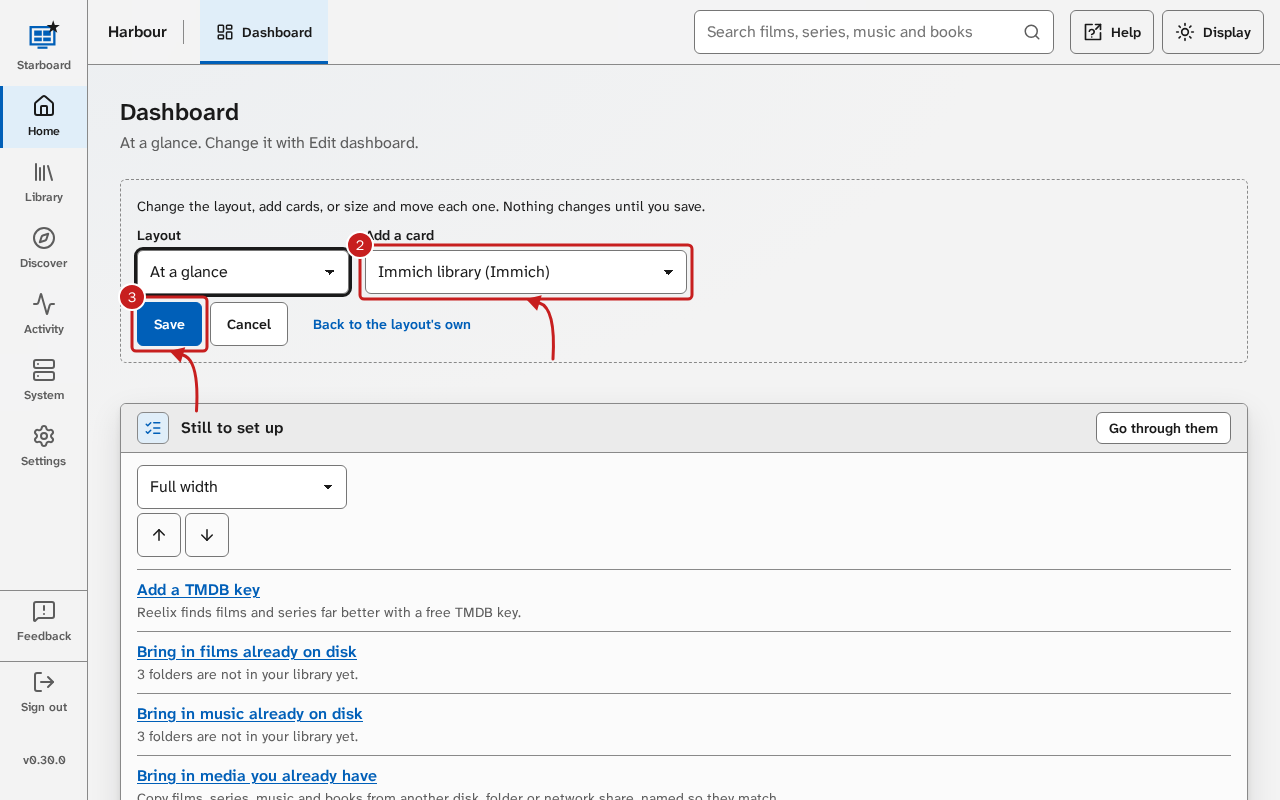
- Select Edit dashboard.
- In Add a card, choose the card. Its name ends with (Immich), such as Immich library (Immich).
- Select Save.
Immich's plug-in must be added and active first. Read Install.
Find out more
This page on GitHub, where the help is written.