How-to
Reduce motion
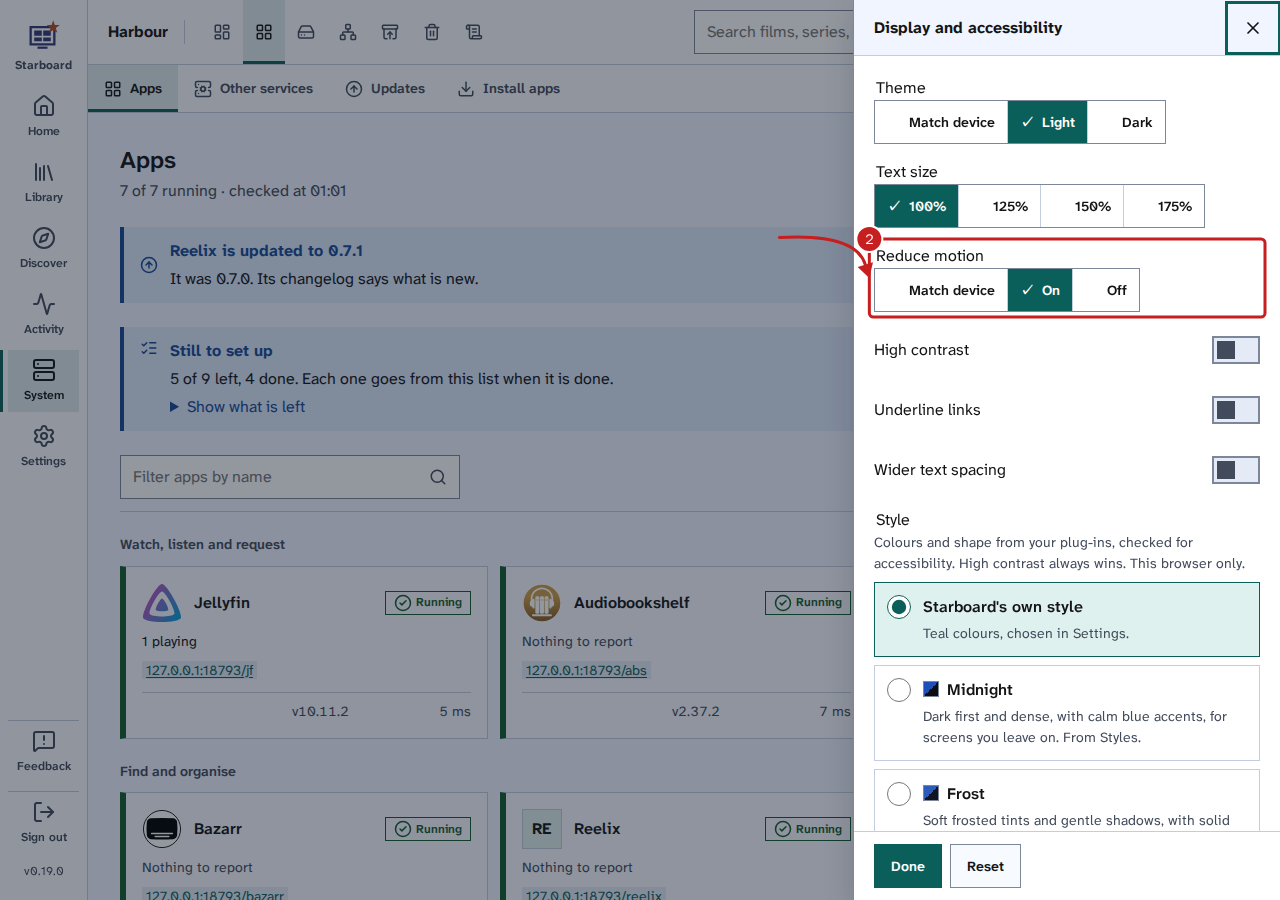
Reduce motion stops things sliding, shimmering and scrolling smoothly in Starboard. It is in Display, applies at once, and is kept in the browser you use. By default it follows your device's own reduced motion setting.
Who it helps
- People with vestibular disorders, who can feel dizzy or sick from movement on a page.
- People who find movement distracting, such as some people with attention or reading difficulties.
- Anyone on a slow device.
Steps
- Select Display, the last button in the header. The Display and accessibility slide-out opens.
- Under Reduce motion, choose one: - Match device (the default) follows the reduced motion setting of your phone or computer. - On always reduces motion in Starboard, whatever the device says. - Off always shows the standard movement in Starboard, whatever the device says.
- Select Done, or press Escape.
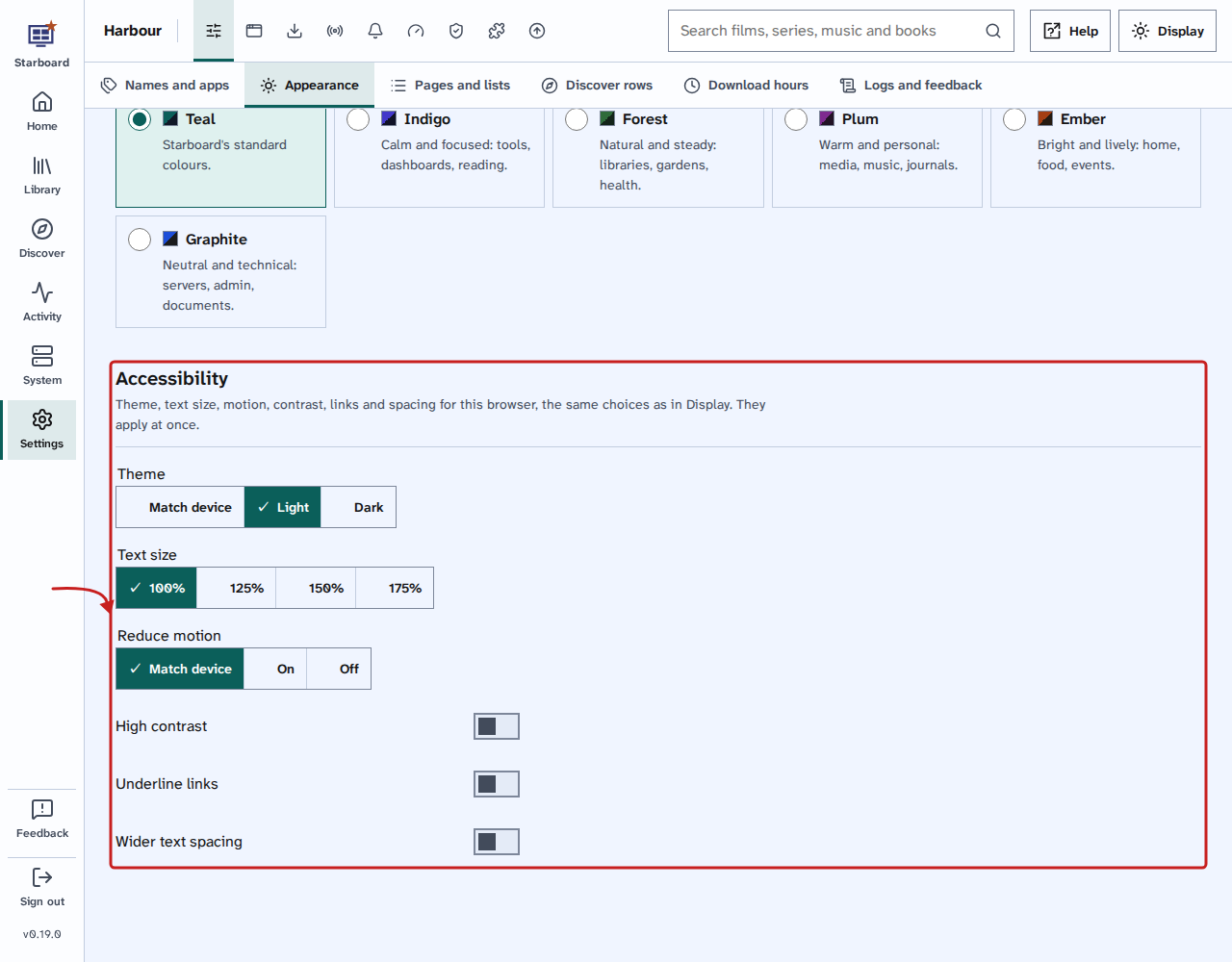
The same choice is in Settings, then General, then Appearance, under Accessibility.
What it changes
A still picture cannot show movement, so this list says what changes when motion is reduced:
| Without reduced motion | With reduced motion |
|---|---|
| Slide-outs and the phone menu slide in from the side. | They appear in place. |
| Messages slide into the corner. | They appear in place. |
| The loading line under the header runs across. | It fades in and out across its whole width, so you still know something is loading. |
| Placeholders shimmer while a list loads. | They stay still. |
| Rows of covers and the letter row scroll smoothly. | They jump straight to the place. |
| Long lists load more as you near the end. | They wait for you to select Show 40 more. |
Nothing that tells you something is lost: only the movement goes.
Long lists
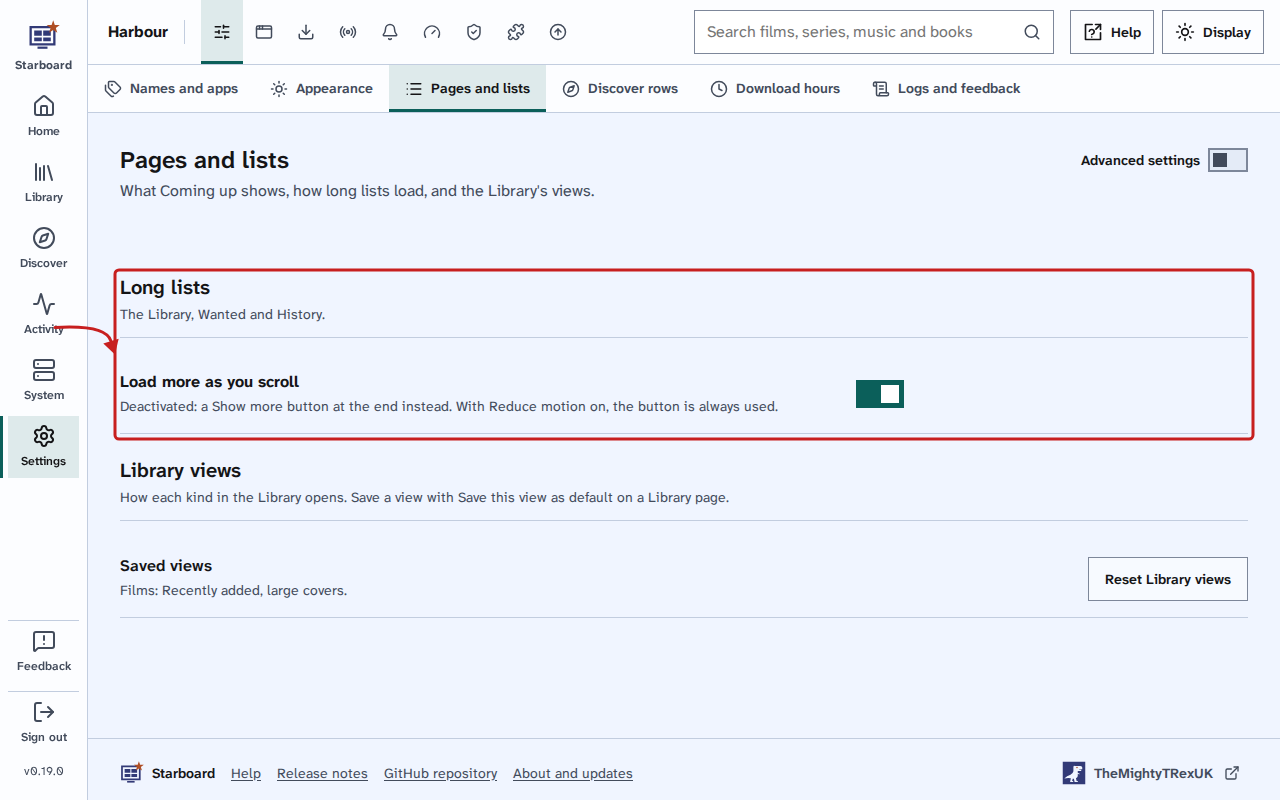
The Library, Wanted and History load the next 40 by themselves as you near the end. With reduced motion, they always wait for Show 40 more instead. To have the button for everyone on the server, whatever their motion setting, deactivate Load more as you scroll in Settings, then General, then Pages and lists, under Long lists.
Things to note
- Reduce motion is kept in this browser only. Each phone, computer and browser has its own.
- Off brings back all movement in Starboard, even when your device asks for reduced motion.
Find out more
This page on GitHub, where the help is written.