How-to
Find and get what is missing
Activity, then Wanted lists the films and episodes Reelix follows but does not have yet, and those it has at a lower quality than you want. You can ask Reelix to search for one, for a few you tick, or for the whole list.
Before you begin
- Reelix is in Starboard with its key. Read Install apps with Starboard.
- Reelix has sites to search. Read Choose the sites Reelix searches.
Steps
- Go to Activity, then Wanted. Choose Not in library, or Below the quality wanted.
- Choose the kind: Films, TV, Music, Books or Audiobooks. The page says how many there are, such as 12 films missing. Select a film or episode to open its details.
- Search in one of these ways: - For one title, select Search beside it. - For a few, select Select several, tick each one, then select Search for them in the bar at the foot of the page. Done puts the ticks away. - For the whole list, select Search all, then Search all again to confirm. Reelix searches a few at a time, so a long list can take a while.
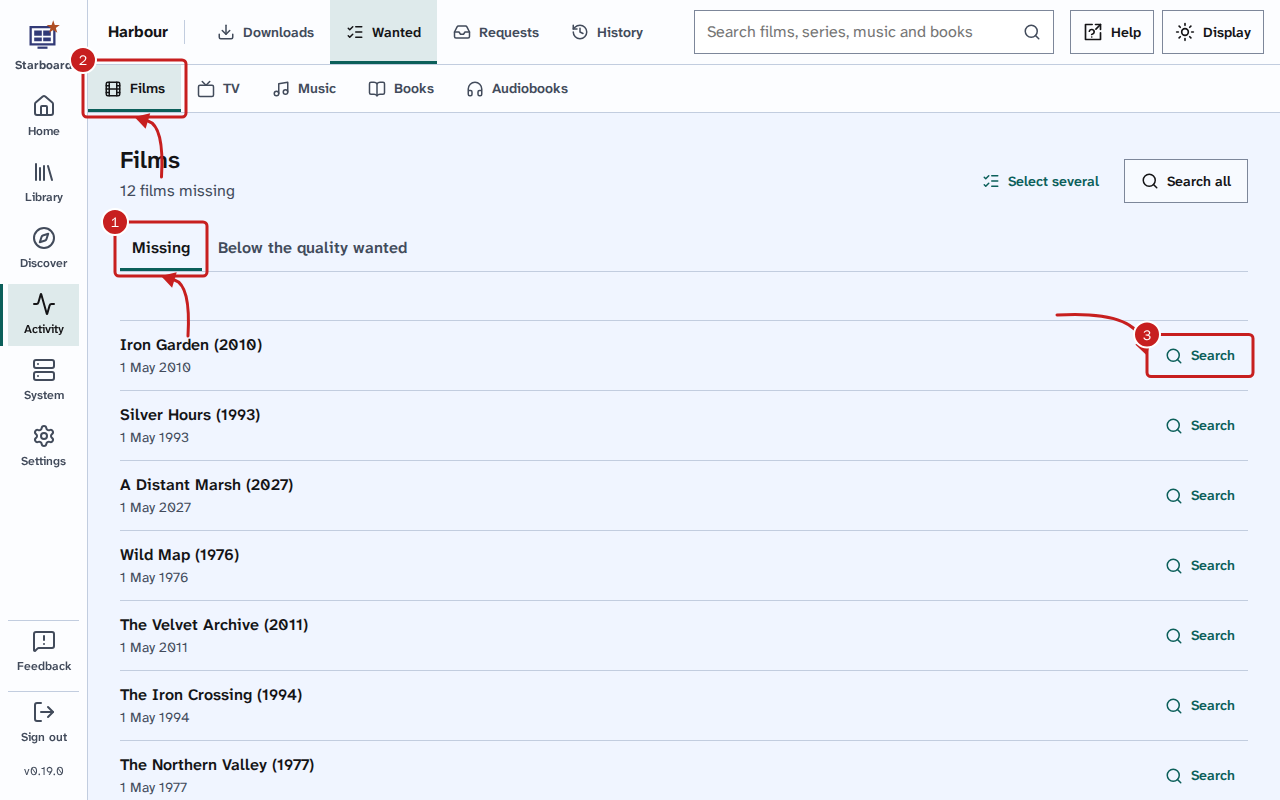
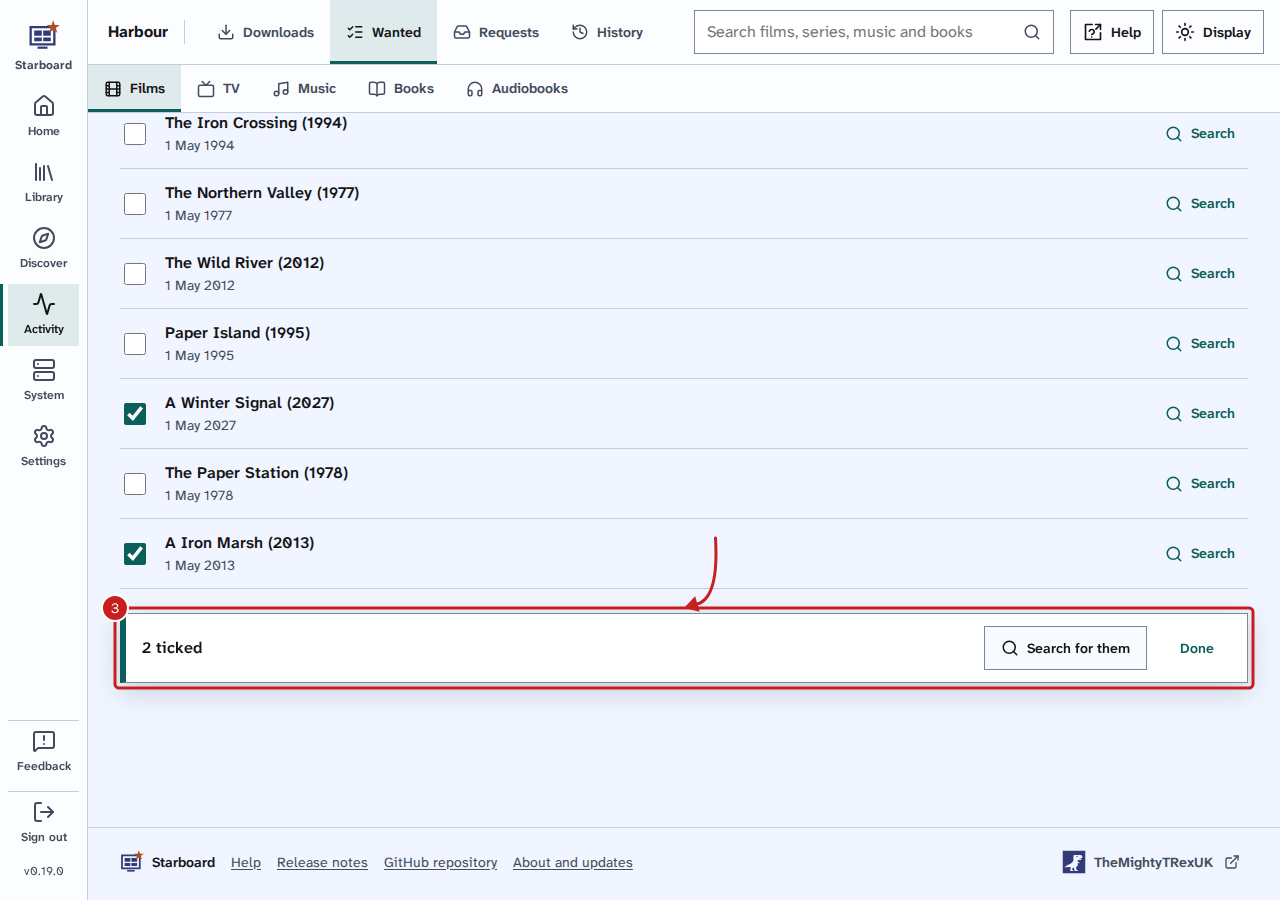
- Starboard says what Reelix is doing. What Reelix finds appears in Activity, then Downloads. Read Pause, resume and remove downloads.
Download one item outside download hours
While download hours pause downloads, each item has Download now.
- Select Download now beside the item.
- Select Download now again to confirm.
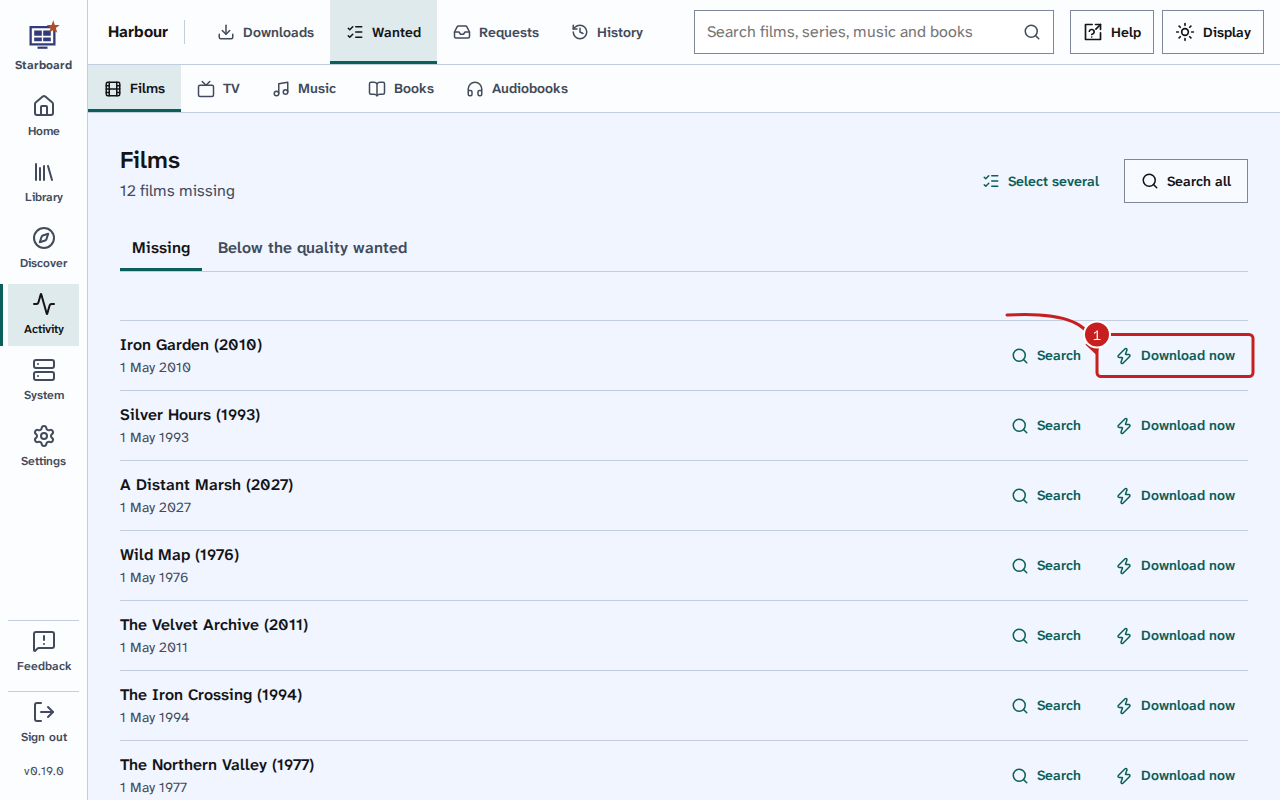
Reelix searches for it now, and it downloads as soon as it is found. Everything else stays paused until the hours start. The Download hours panel on the Queue page names what is downloading outside the hours.
Things to note
- Below the quality wanted shows the quality each item has and the quality you want, such as Has 720p, wants 1080p.
- The list shows a page at a time. Select Show more for the next page.
- To choose a copy yourself, open the title in the Library and select Choose a download. Read Browse your library.
If it does not work
- Reelix could not be asked: Reelix did not answer, or Starboard has no Reelix with its key. Check Reelix on the Apps page. Read An app shows as not responding.
- Nothing is missing. or Everything is at the quality wanted.: there is nothing to search for.
Find out more
This page on GitHub, where the help is written.