On this page
The plug-in collection
The plug-ins you can add to Starboard, what each one does, and what it may do on your server. They live in the Starboard plug-ins repository. Each one has passed Starboard's plug-in tester, accessibility included. To add one, read Add a plug-in.
Styles
Eight styles for Starboard, each checked for accessibility in light and dark.
| Style | What it is like |
|---|---|
| Midnight | Dark first and dense, with calm blue accents, for screens you leave on |
| Frost | Soft frosted tints and gentle shadows, with solid panels for reading |
| Bold | Hard edges, thick shadows and a yellow highlight |
| Bento | Rounded boxes in soft pastels |
| Paper | Calm and minimal, on warm paper with a book-like serif |
| Forest | Earthy greens and natural tones |
| Retro | Square corners, a monospace font and amber, like old terminals |
| Vivid | Bright pink and purple |
- What it may do: add styles to Display. Risk: low.
- What it runs: nothing. No container, no code and no network access.
- Install address:
https://raw.githubusercontent.com/TheMightyTRex/starboard-plugins/main/styles/starboard-plugin.json. Copy it into The plug-in's manifest address in Settings, Plug-ins, Add a plug-in. - Download: styles.zip (5 KB): the manifest, its installer, readme and licence. The Styles plug-in's files on GitHub.
- How to add it: paste the install address. Or unzip the download and run its installer,
python3 install.py, or choose itsstarboard-plugin.jsonunder Or its manifest file. - Version: 1.0.0. Made by TheMightyTRexUK. Licence: MIT.
- Choosing a style: in Settings, then Plug-ins, the Styles section shows a picture of each style, light and dark, with Use this style. Style in the Display panel has the same choice. Read Choose a style from a plug-in.
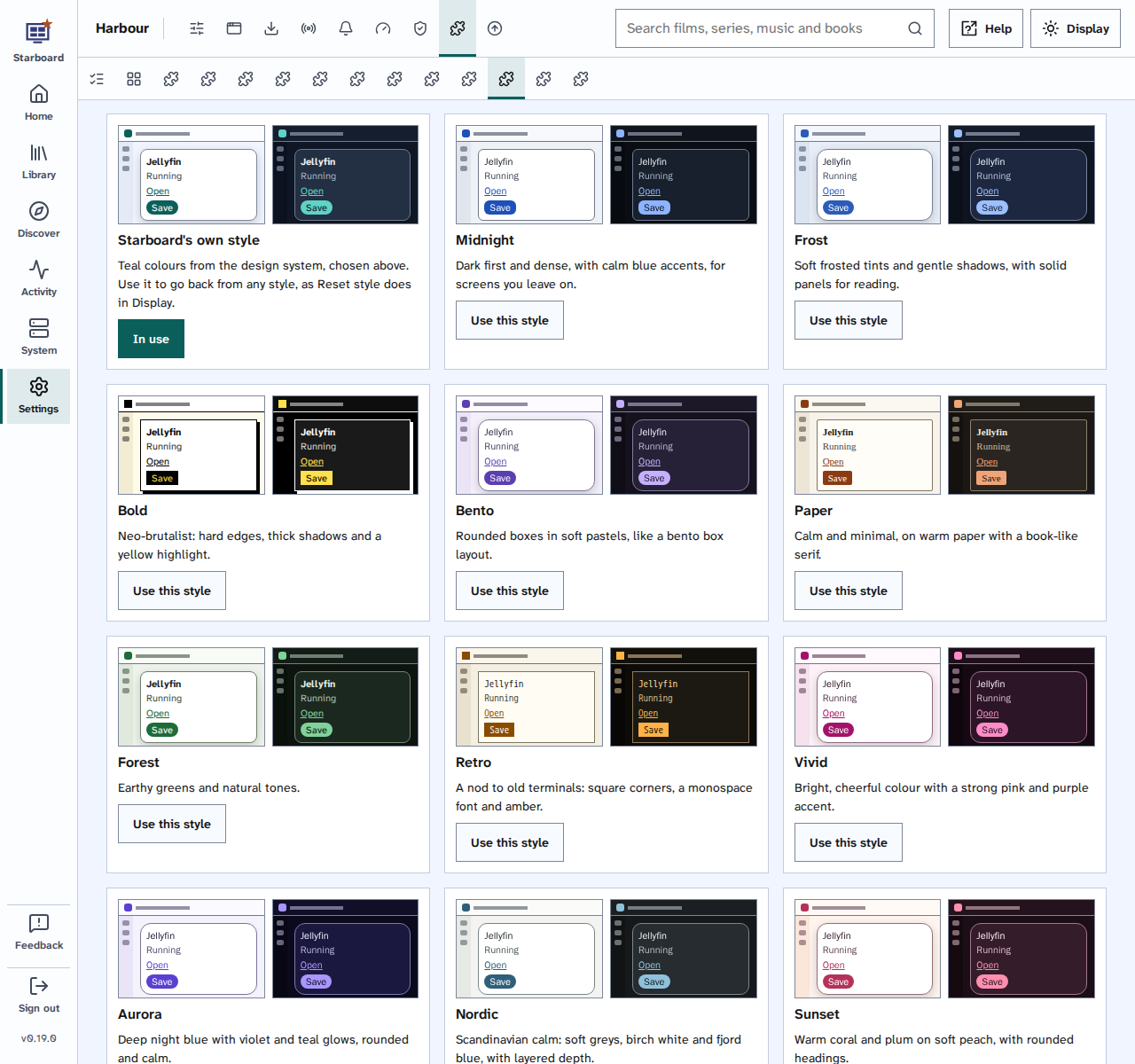
No style in the collection has see-through panels, because they change how well the text on them stands out.
Live TV
Free TV channels and guides for Jellyfin's Live TV, from Samsung TV Plus, Pluto TV and Free-TV, numbered like Sky. It comes with Starboard: add it in Settings, then Plug-ins, under Built into Starboard.
- Install address and download: none needed. It is part of Starboard, so there is nothing to download.
- What it may do: reach the internet and your home network (to fetch guides and test channels), and use Jellyfin's API key, kept by Starboard (to add the channels to Jellyfin). Risk: medium and high.
- What it runs: one container on Starboard's own image, read only, limited to 192 MB of memory, writing only to the Live TV folder you gave the installer.
- Its card: a dashboard card with when it last ran and what it did. Run Live TV now in its section builds everything straight away. Read Use and change the dashboard.
- How to set it up: read Set up free Live TV in Jellyfin.
Make your own
A plug-in is a folder with a starboard-plugin.json. Write a plug-in explains the manifest,
styles and dashboard cards, and how to use AI to write one. Test it in Settings, then Plug-ins, under
Test a plug-in. It lists every issue with how to fix it, accessibility always included.
Find out more
This page on GitHub, where the help is written.