How-to
Tell us about an accessibility problem
If part of Starboard is hard to use with your tools or needs, such as a keyboard, a screen reader, zoom, contrast or motion, tell us with Feedback in the side menu. It says which page and which part of it, and keeps nothing personal. You can also have the page checked automatically and choose which problems to send.
Before you begin
- You are signed in to Starboard, and Send feedback is active. It is active unless someone deactivated it in Settings, then General, then Logs and feedback. Read Send feedback about a page.
Steps
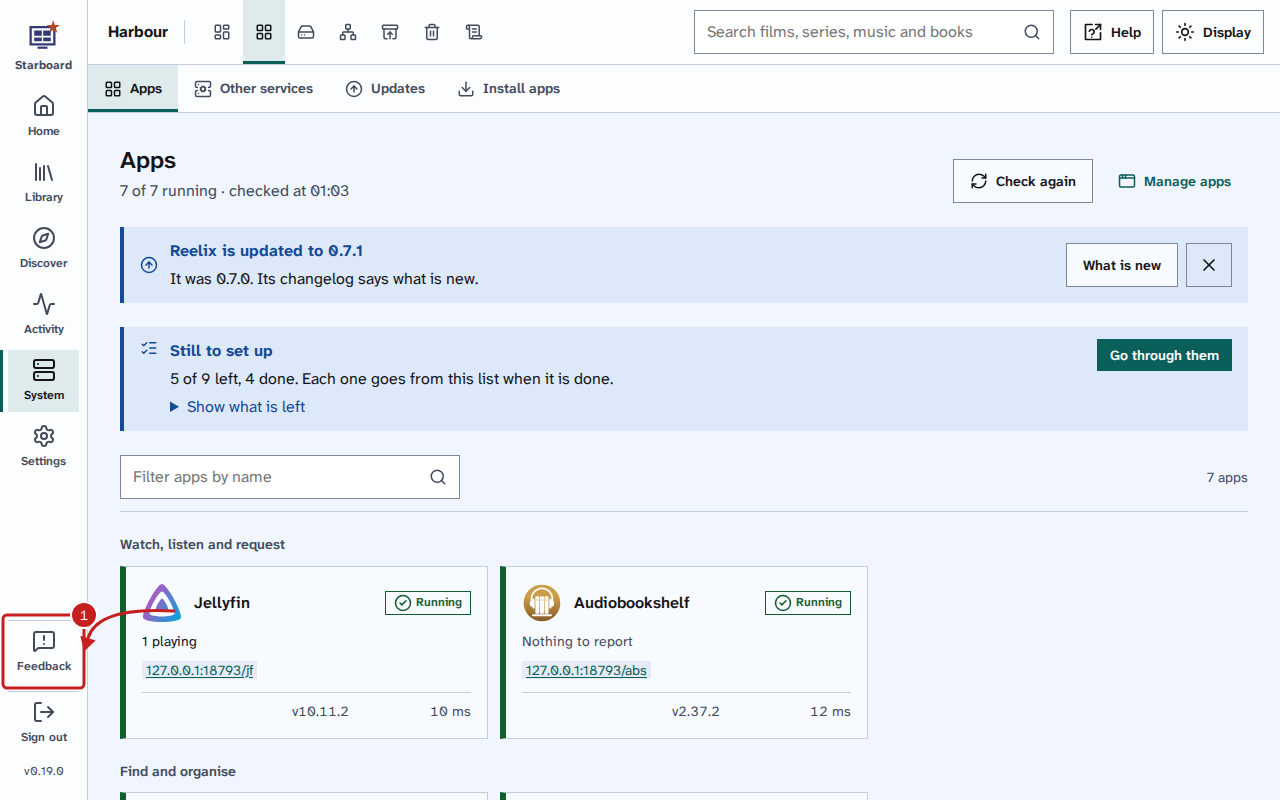
- On the page with the problem, select Feedback in the side menu. On a phone, open Menu and select
Send feedback. With a keyboard, Tab from the start of the page: Feedback comes after the side menu's
links.
- Choose Hard to use with my tools or needs. To have the page checked for you instead, choose Check this page
for accessibility problems.
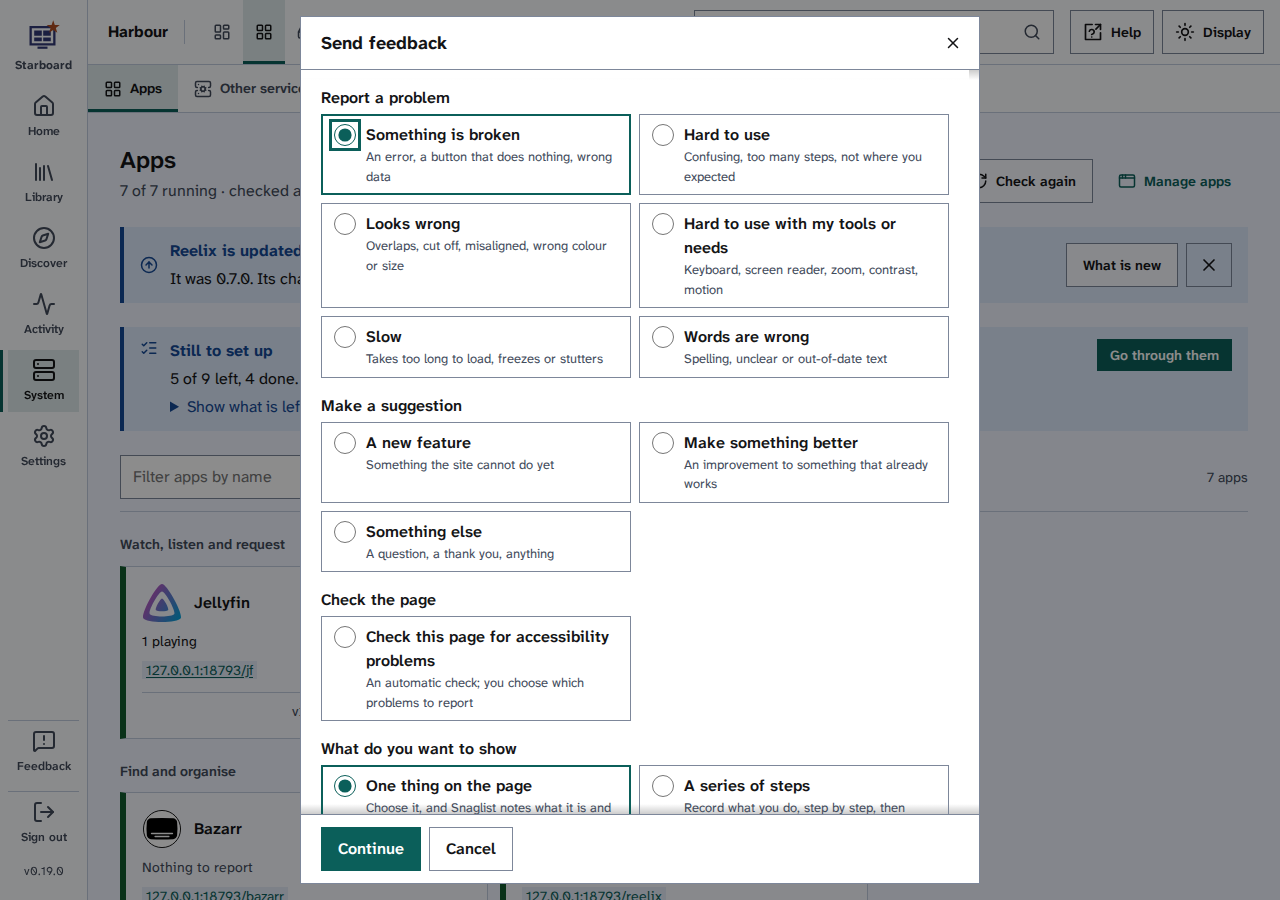
- Choose what to show: One thing on the page, A series of steps or Describe it in words. With a keyboard or screen reader, Describe it in words needs no pointing.
- Under What is wrong, say what you expected and what happened. Under What were you using, choose what you
use, such as Keyboard only, A screen reader, Zoom or large text, Voice control, Switch access or
High contrast or forced colours. Then choose How bad is it.
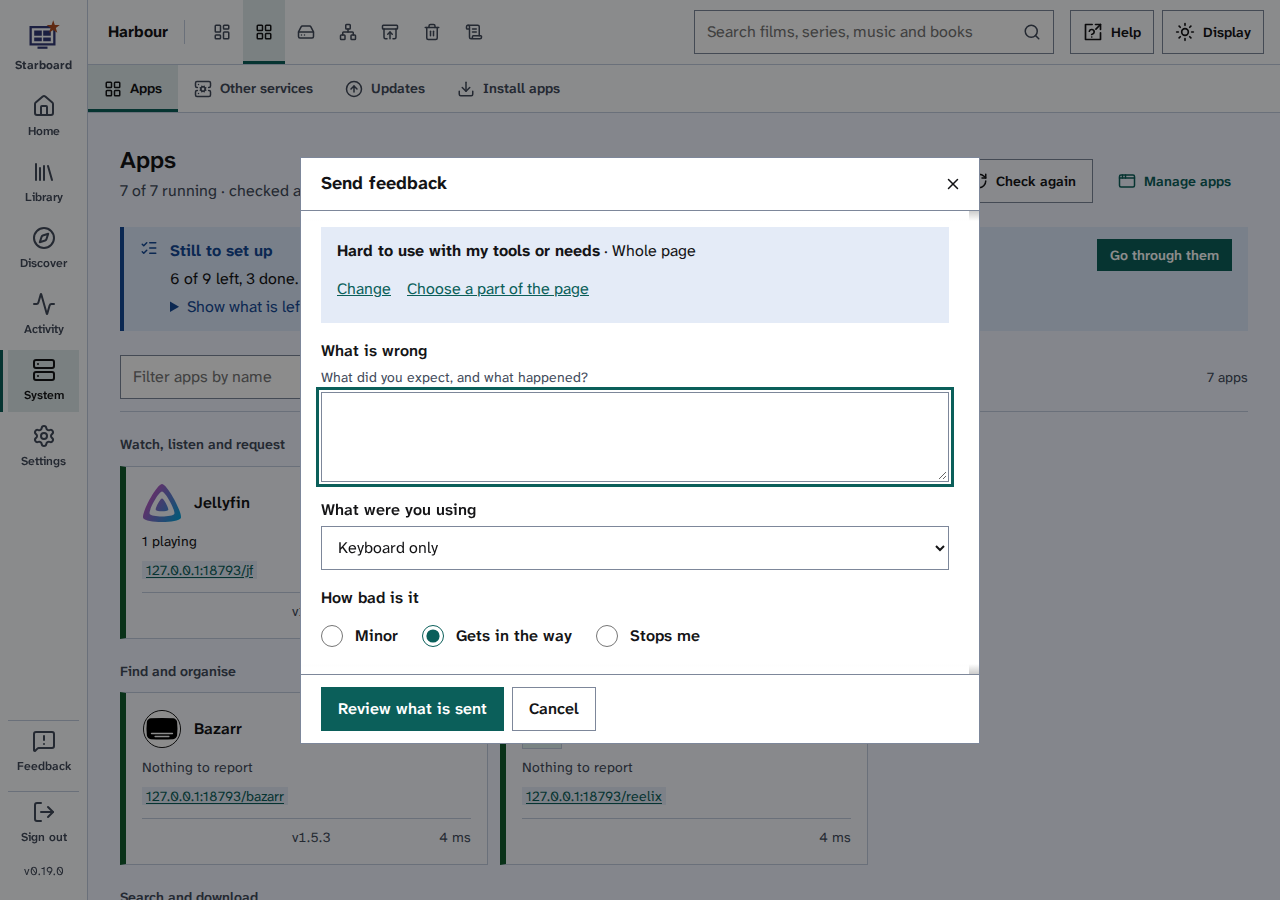
- Select Review what is sent. All of it is shown, and you can clear anything you would rather not send.
- Choose where it goes: Open in GitHub, Save in Starboard, Copy as Markdown, Download or Show as a QR code.
What helps us fix it
- What you were trying to do, and what happened instead.
- What you use: the screen reader, browser and device, with their versions if you know them, and any settings such as zoom, text size or high contrast.
- Whether it happens every time.
Things to note
- What is sent never holds your password, API keys, cookies or anything entered in the page's fields. The page title and the text on the page are copied as they are, so check it before you send it.
- Open in GitHub posts it as an issue on Starboard's GitHub page, from your own GitHub account, where anyone can read it.
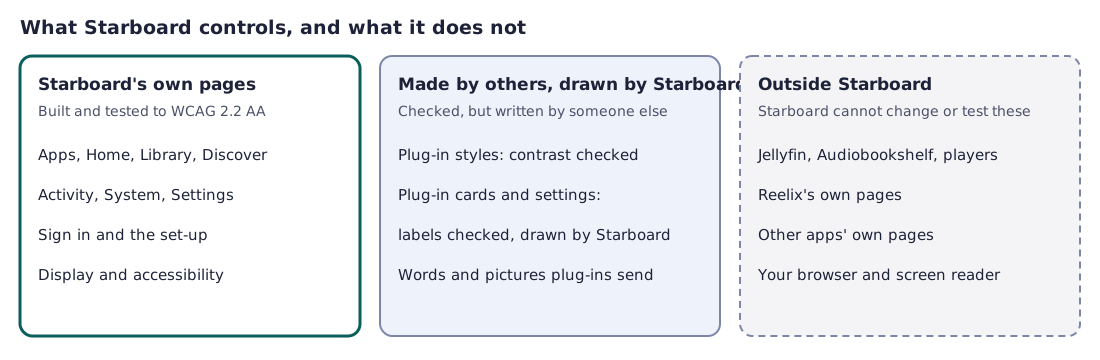
- Problems with Jellyfin, Audiobookshelf or another app's own pages belong with that app. Read Limits and known gaps.
- Before sending, it may help to read Accessibility limits and known gaps to find out whether the problem is already known.
Find out more
This page on GitHub, where the help is written.